A watch-face download can show minimum API 33, target API 34 and WFF 1 at the same time. Those values answer different questions. Read them together with your watch’s installed software and the evidence for that exact release.
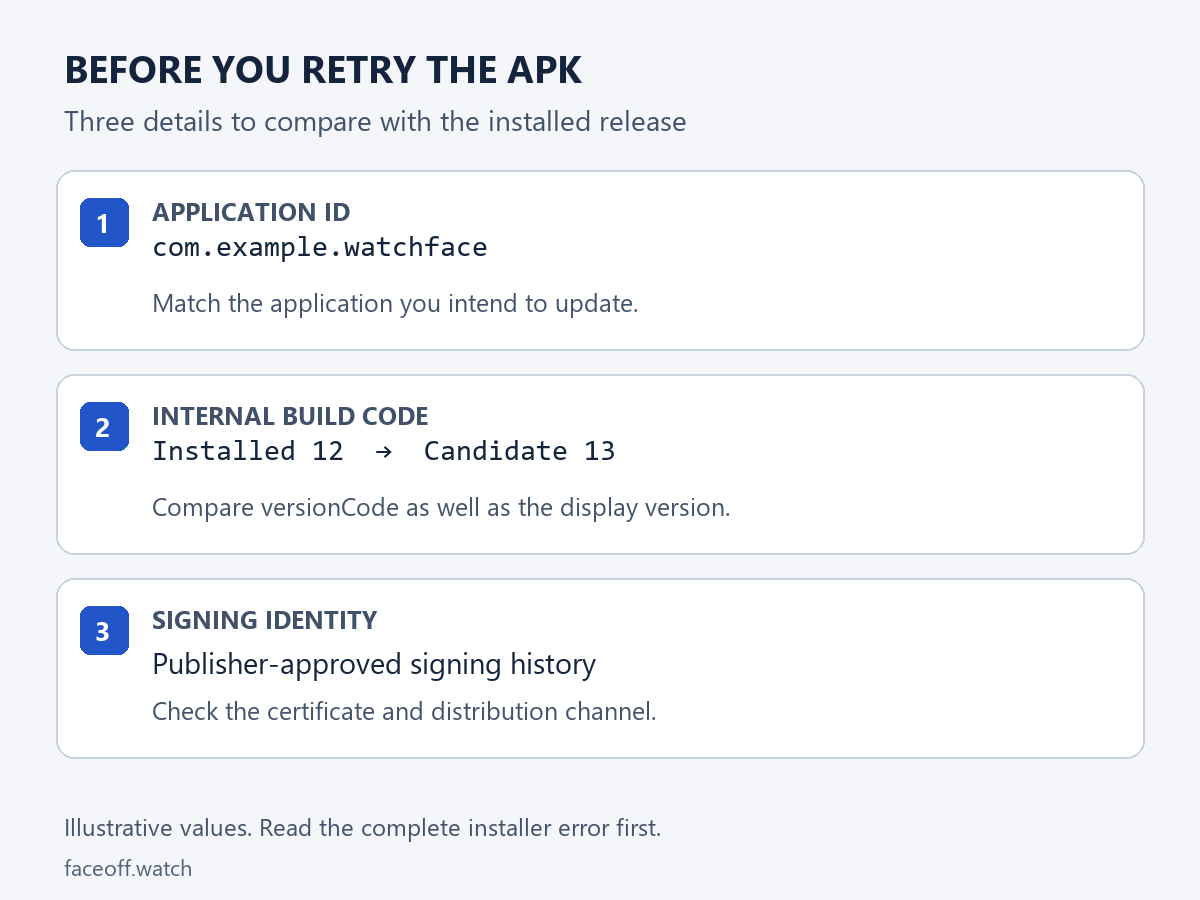
This guide helps you check requirements before downloading, or narrow down a compatibility question after an installation fails. For an update rejected because of its package identity, build code or signing identity, use the separate APK update guide.
Start with the watch and the selected file
Record the watch model and its installed Wear OS/software version. The paired phone’s Android version describes a different device. A model name also leaves the installed software unresolved: check what the watch actually reports.
On the Face-Off listing, choose the Wear OS download and expand File details. Keep the package ID, release version, internal build code and full SHA-256 value. Choose the same file throughout the check; another release or platform can have different requirements. The file-format guide explains editable projects and installation packages.
The Galaxy Watch APK requirements hub provides a comparison of recorded package minimums. Its API filter compares those numbers; check the selected release’s format and testing evidence too.
Minimum API: the package’s Android floor
minSdkVersion, shown as minimum API in file details, is the lowest Android API level declared by the package. Android checks this against the device’s platform. A package requiring API 33 cannot satisfy that requirement on an API 30 watch. Android’s minimum-SDK rules.
Below that minimum, look for a release supporting your software or an applicable official watch update. Then continue with format and testing checks.
Target API: a separate declaration
targetSdkVersion tells Android which platform behavior the app targets. It is separate from the minimum version it declares. For a package with minimum 33 and target 34, reading the target alone would give you the wrong minimum requirement. Android’s target-SDK explanation.
Report both fields. “Target API 34” does not mean “minimum API 34”; read the actual minimum value.
WFF version: the watch-face renderer’s language
Watch Face Format describes a face with XML and resources. Wear OS supplies the renderer, and successive WFF generations add supported elements and features. An APK can carry a WFF face, so APK and WFF 1 can both describe the same download. Google’s WFF overview.
Check the declared WFF generation as well as minimum API. Google’s documented starting point for WFF 1 is Wear OS 4/API 33; WFF 2 starts at Wear OS 5/API 34. Its setup guide tells creators to select the lowest format version that supplies their features and match the minimum SDK accordingly. WFF package declarations.
Use current, edition-specific documentation. Google’s WFF release notes now include version 5. Its Wear OS 7 guide documents API 37. These documented versions do not establish that a particular watch has received an update. Ask the publisher about the exact build when its WFF generation or required features are unclear.
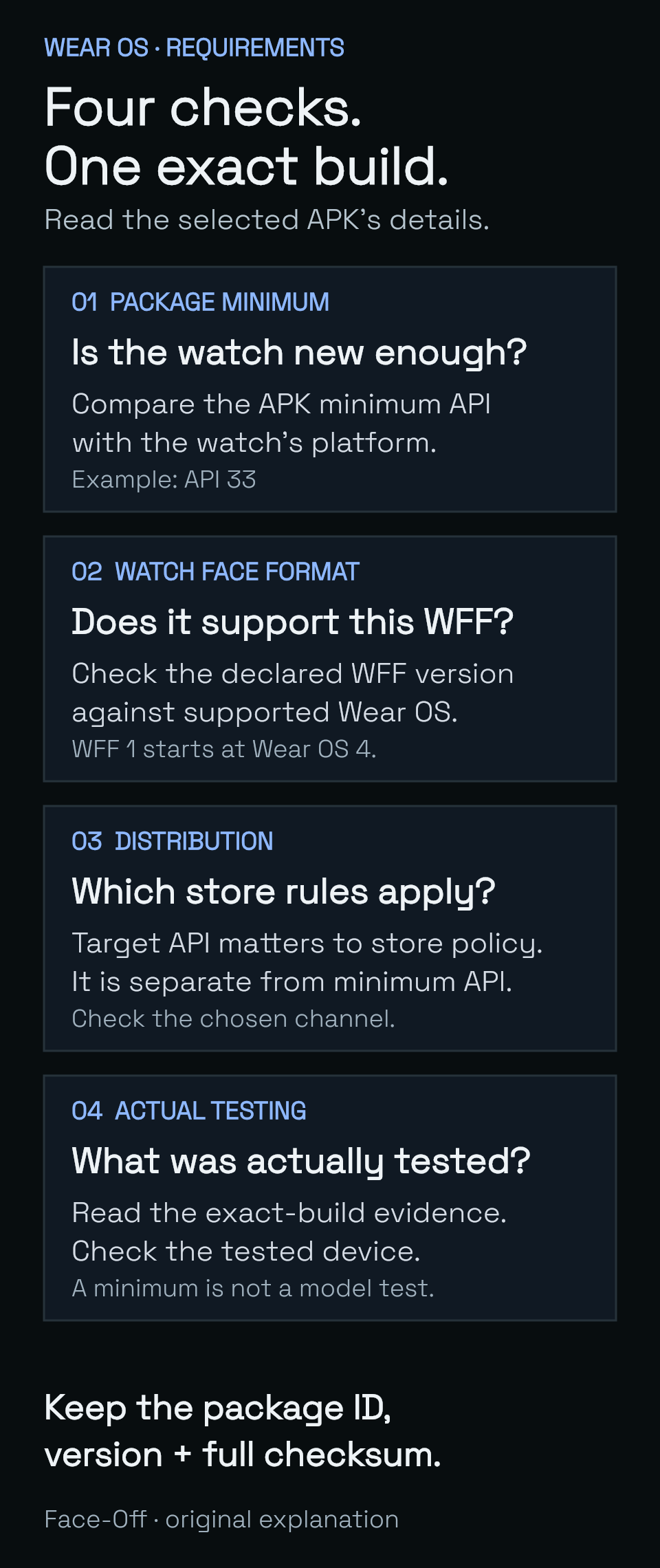
Original Face-Off diagram: minimum API, WFF support, distribution rules and exact-build testing answer different questions.
Read a real example: Simple White Dial
The public Simple White Dial Wear OS APK selected for this example records:
| Selected-build detail | Recorded value |
|---|---|
| Release / internal build | 1.1.0 / code 2 |
| Minimum API | 33 |
| Target API | 34 |
| Watch Face Format | 1 |
| Package ID | com.faceoff.watchfaces.simplewhitedial |
| SHA-256 prefix | bc06309146211ab5… — use the full value in File details when comparing bytes. |
The API 33 minimum and WFF 1 declaration agree with Google’s documented WFF 1 baseline. Target 34 does not turn its minimum into 34. The hash identifies this specific 1.1.0 download; it is not a compatibility rating.
This exact build has Normal, always-on and optional-complication evidence from an API 33 Wear OS emulator. That evidence identifies the environment checked. It does not establish a physical-watch test, sensor accuracy or battery life for your model. The original Simple White Dial artwork is by etspy.
Play submission policy answers another question
Google Play has target-API requirements for submissions. As checked on 11 November 2026, its policy requires new Wear OS apps and updates to target API 35 or higher from 31 August 2026. Google Play’s current target-API policy.
That is a distribution requirement. The example above is a directly hosted Face-Off APK with its own recorded minimum and target. The Play submission number does not change its declared minimum to 35 or establish whether it runs on your watch. Use the requirements and documented installation route for the release you actually selected.
Read what was actually tested
A package’s metadata supplies requirements; a test report supplies observations. Check whether a report names the same package and version, which software it used, and whether its captures came from an emulator or a physical watch. Android’s device-compatibility guidance also distinguishes platform, feature and device-configuration requirements.
For a watch face, useful observations include selection in the picker, a settled active view, always-on behavior and any editable slots the release advertises. A download label or a minimum-API match does not stand in for those observations.
Choose the next check from the result
- The watch is below the recorded minimum: find a release supporting its installed software or an applicable official update.
- The format requirements are unclear: ask the publisher for the declared WFF generation and supported platform for that exact file.
- An update fails: compare package, build and signing identity with the update guide.
- Installation succeeded but the face is missing: continue with the full-picker guide.
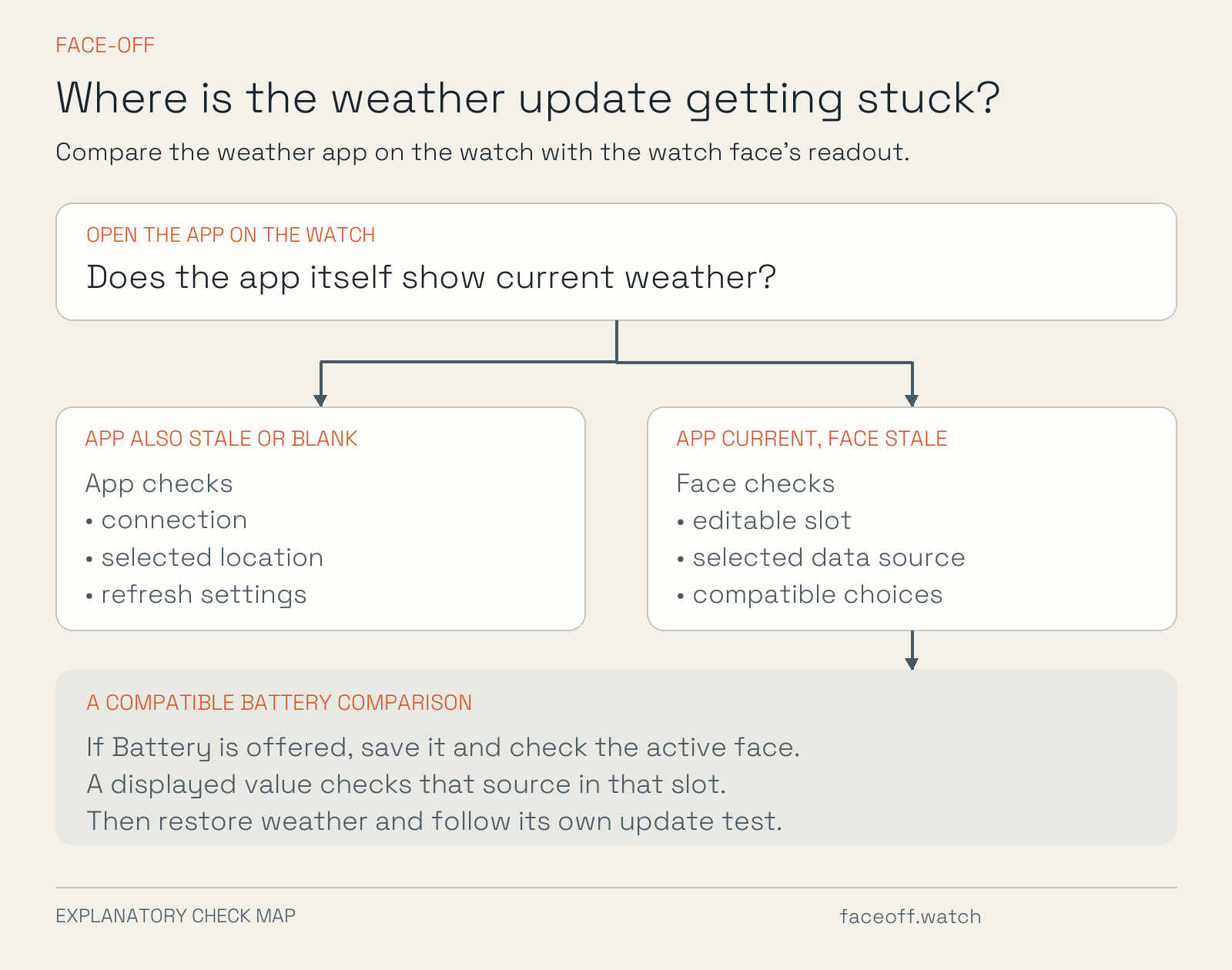
- The face opens but a data area needs attention: use the customization guide, or the separate weather-source checks.
Send the publisher the listing and selected file, package/version/build code, full checksum, watch model/software, and exact error or checkpoint reached. If two requirement fields appear to disagree, include both. That gives them a specific build and device configuration to investigate.
Primary documentation and the public example reviewed on 11 November 2026.
Discussion
0 comments. Share feedback or ask a question.
Sign in to comment.
No comments yet.