In this tutorial, you will see two ways to link Huawei Health with other fitness apps.
Method 1: Link apps directly in Huawei Health
On your phone, open Huawei Health and go to Me. Scroll down to Privacy management, then open Data sharing and authorization. Huawei Health will show the apps that can connect to your account.
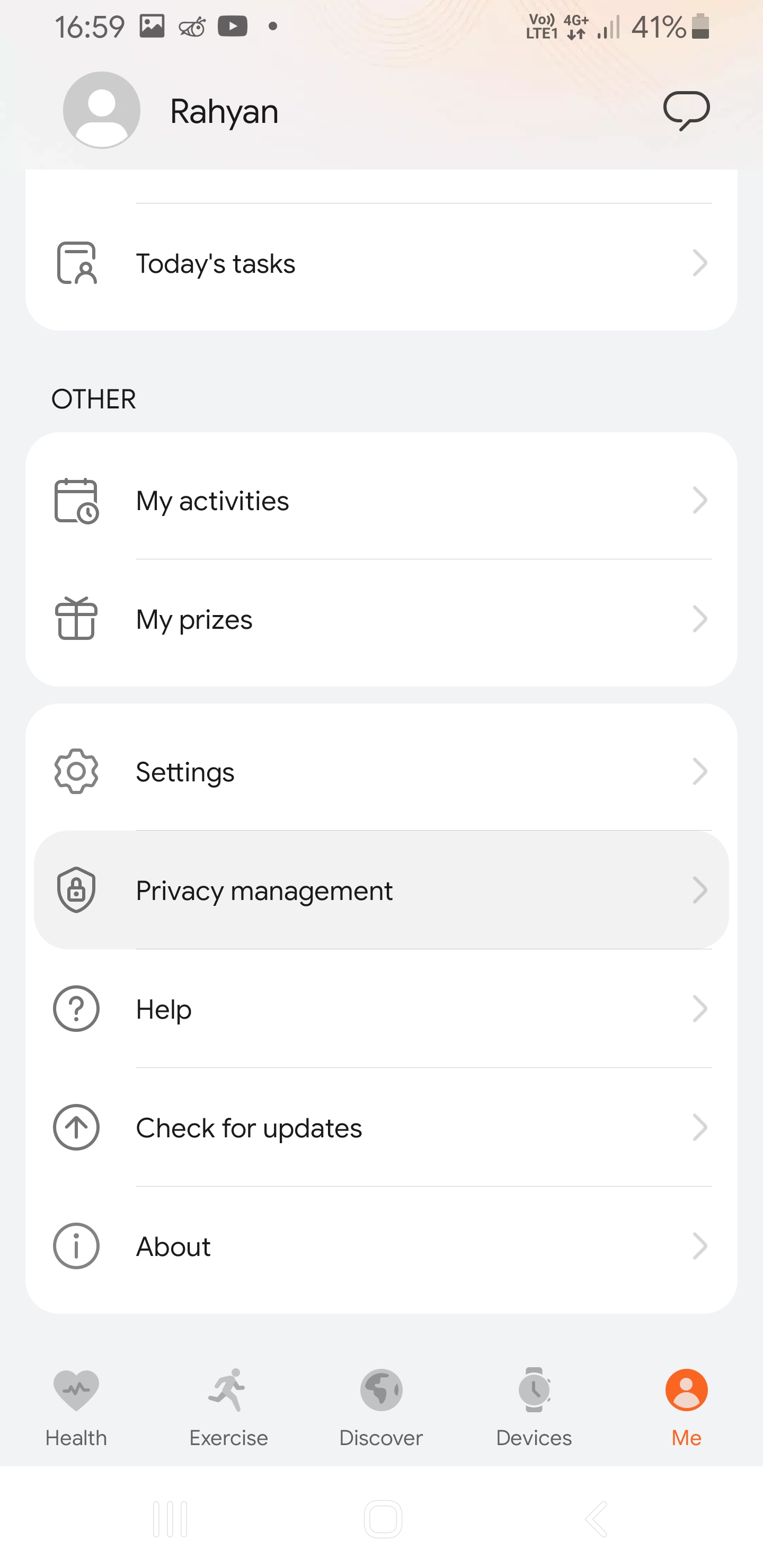
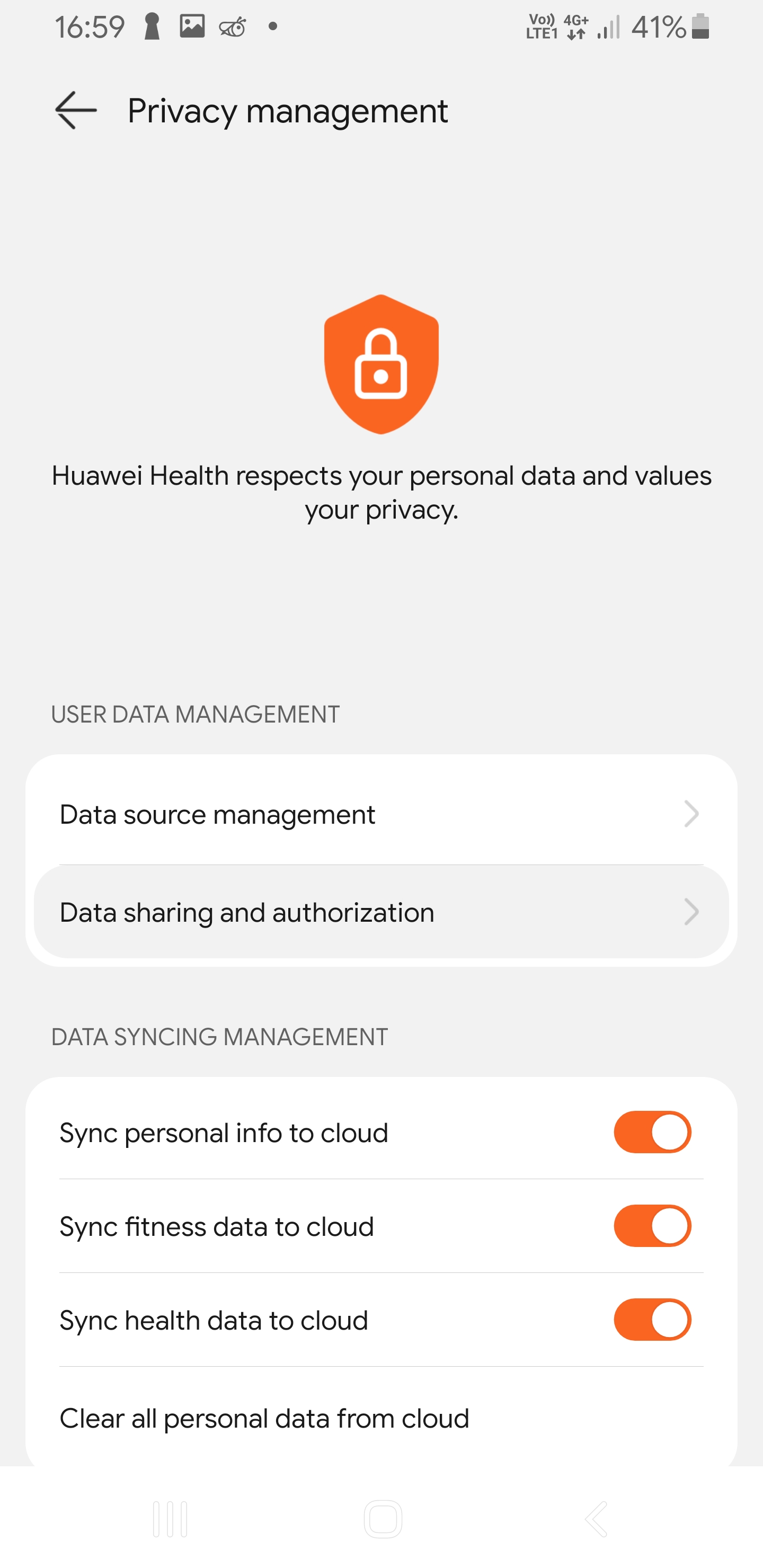
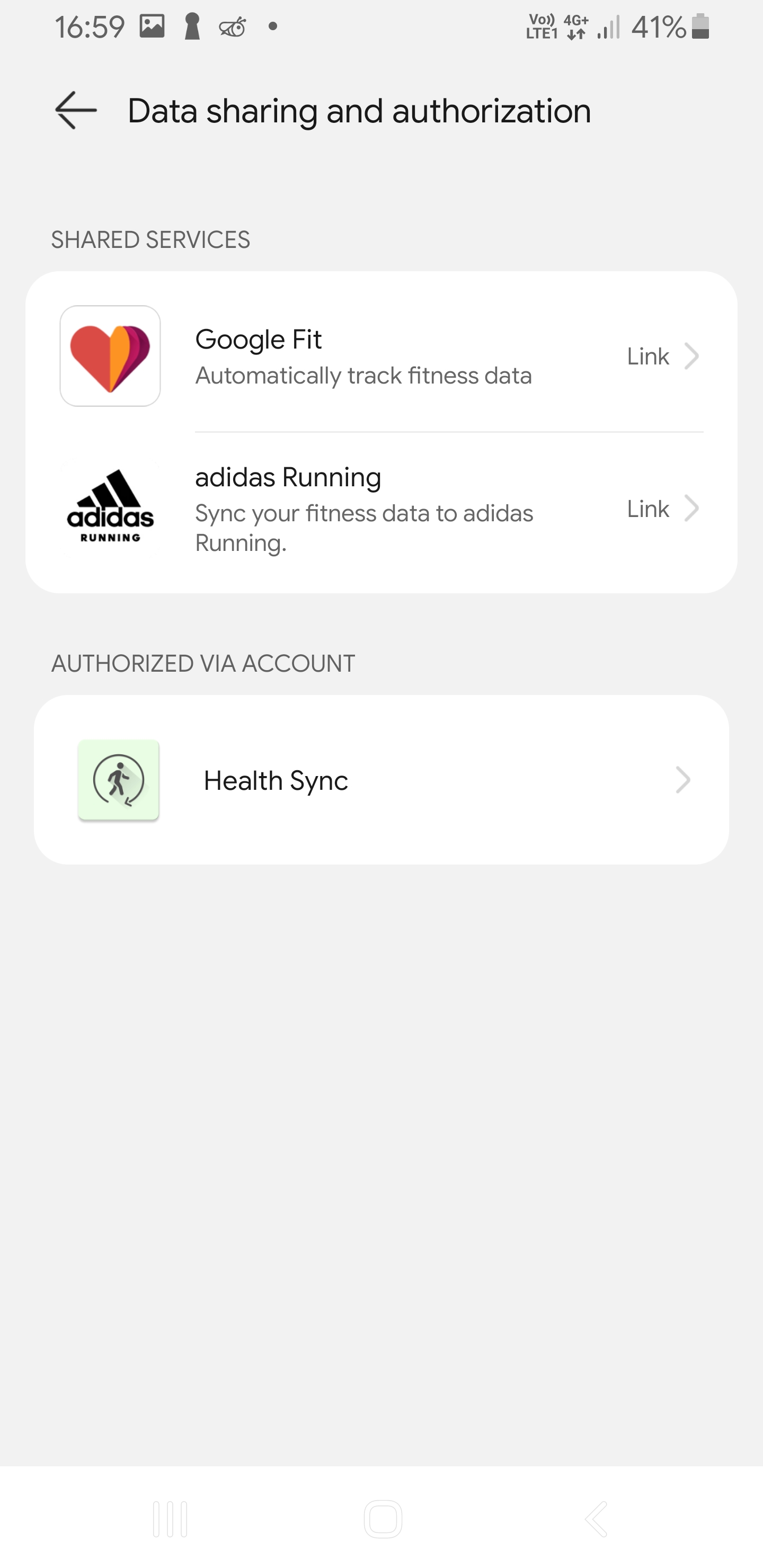
Left to right: Me tab, Privacy management, Data sharing and authorization.
Method 2: Use Health Sync
If Huawei's native sharing options do not cover your target app, use Health Sync. Install it, pick Huawei Health as source, pick your destination app, and follow the onboarding prompts.
Tip: Health Sync offers a trial period. If you rely on sync every day, consider using the paid version to avoid interruptions.
Discussion
Share feedback, ask questions, and upvote/downvote comments.
Sign in to comment.
No comments yet. Start the conversation!