This is a historical review of the 46mm Honor MagicWatch 2, based on Rahyan's original months of use. It describes the software, prices and problems encountered then. It does not assess today's Huawei or Honor watches.
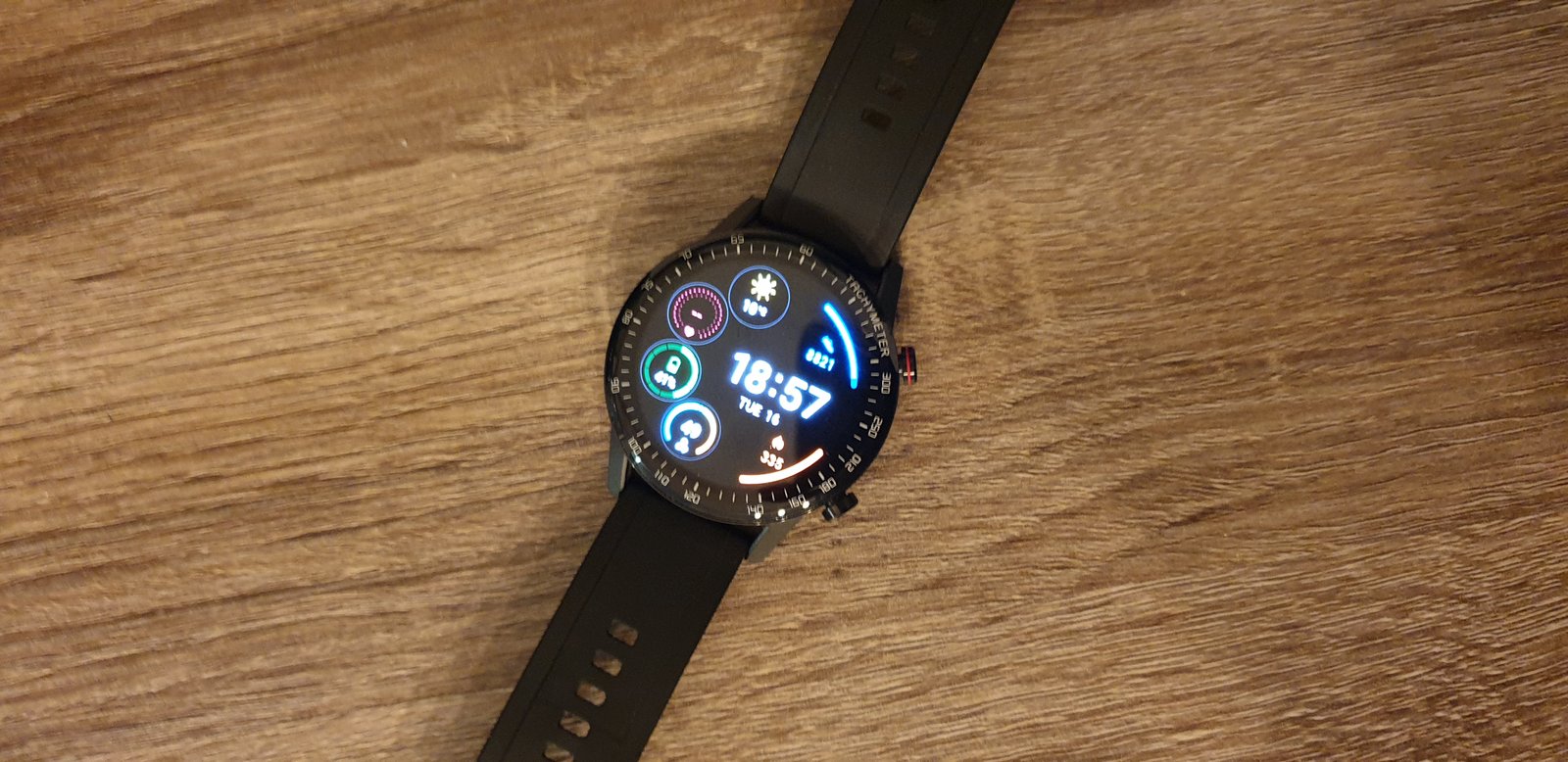
My MagicWatch 2 46mm, photographed with a Galaxy S9.
I wanted a watch that could handle everyday notifications and give me useful workout data. I had already used a Huawei Band 3 Pro and liked my old Huawei P8 lite 2017, so I was not buying this expecting to dislike it.
After a few months, I regretted the purchase. The design and battery life were good. Too many of the features I actually used were limited, unreliable or awkward. I bought the watch myself; Huawei and Honor did not supply it or pay for this review.
The watch I used
My experience was with the 46mm MagicWatch 2. Its round 454 × 454 display, steel case, speaker and microphone made it look and feel like a more capable watch than my old fitness band. It could take Bluetooth calls and play music stored on the watch. The smaller 42mm model did not offer the same calling and speaker features.
Those model differences matter. The original review also discussed MNS-B19 and MNS-B39 update differences. The update situation I saw then is not evidence of either model's current support status.
What it offered
The software included workout modes, guided running courses, step counting, heart-rate and sleep tracking, a compass, altitude and pressure readings, weather, notifications and alarms. Many of the extra workout modes recorded little beyond duration, calories and heart rate. A long list of activities did not mean each one had useful sport-specific measurements.
Workout tracking: the part that disappointed me most
Speed and heart-rate readings
I noticed a delay of roughly 5 to 15 seconds in the displayed speed when I stopped after walking at a steady pace. That made it harder to use the watch to judge changes in pace. It did not feel responsive enough for the workout feedback I wanted.
I found the workout heart-rate readings reasonably accurate once I was underway, but warm-ups were less convincing. Low-intensity effort could produce readings that looked too high to me. These are observations from my own use; the original review does not document a controlled accuracy comparison.
The spoken prompts were useful during running courses. I disliked how robotic the voice sounded, especially when reading numbers for heart rate, duration or distance.
Workout records and Smart Companion
Smart Companion lets you run against a target pace. I liked having that comparison on the watch, but Huawei Health did not keep the extra detail I wanted afterwards, such as how often I passed the virtual runner or it passed me.
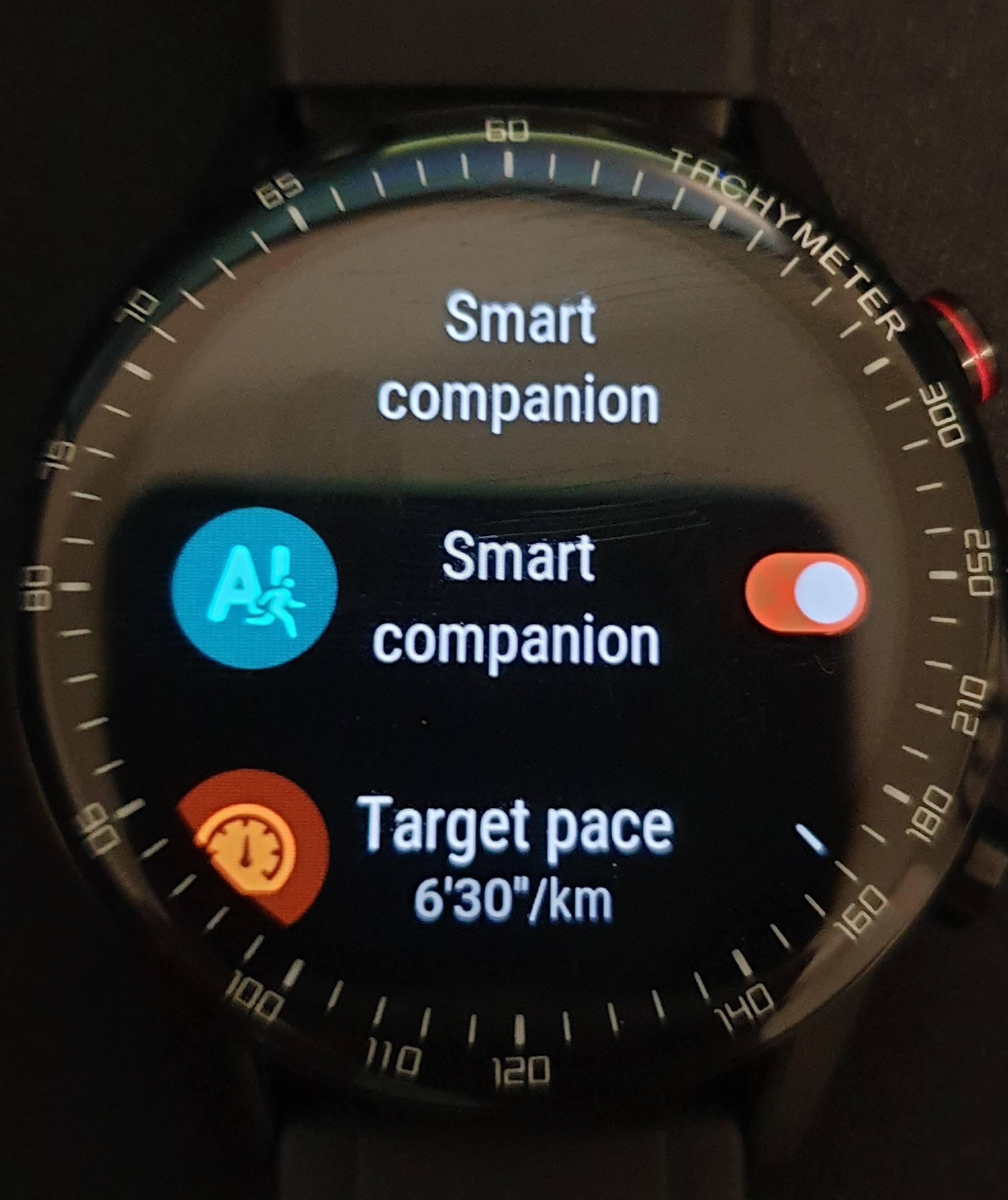
Smart Companion's target-pace setting.
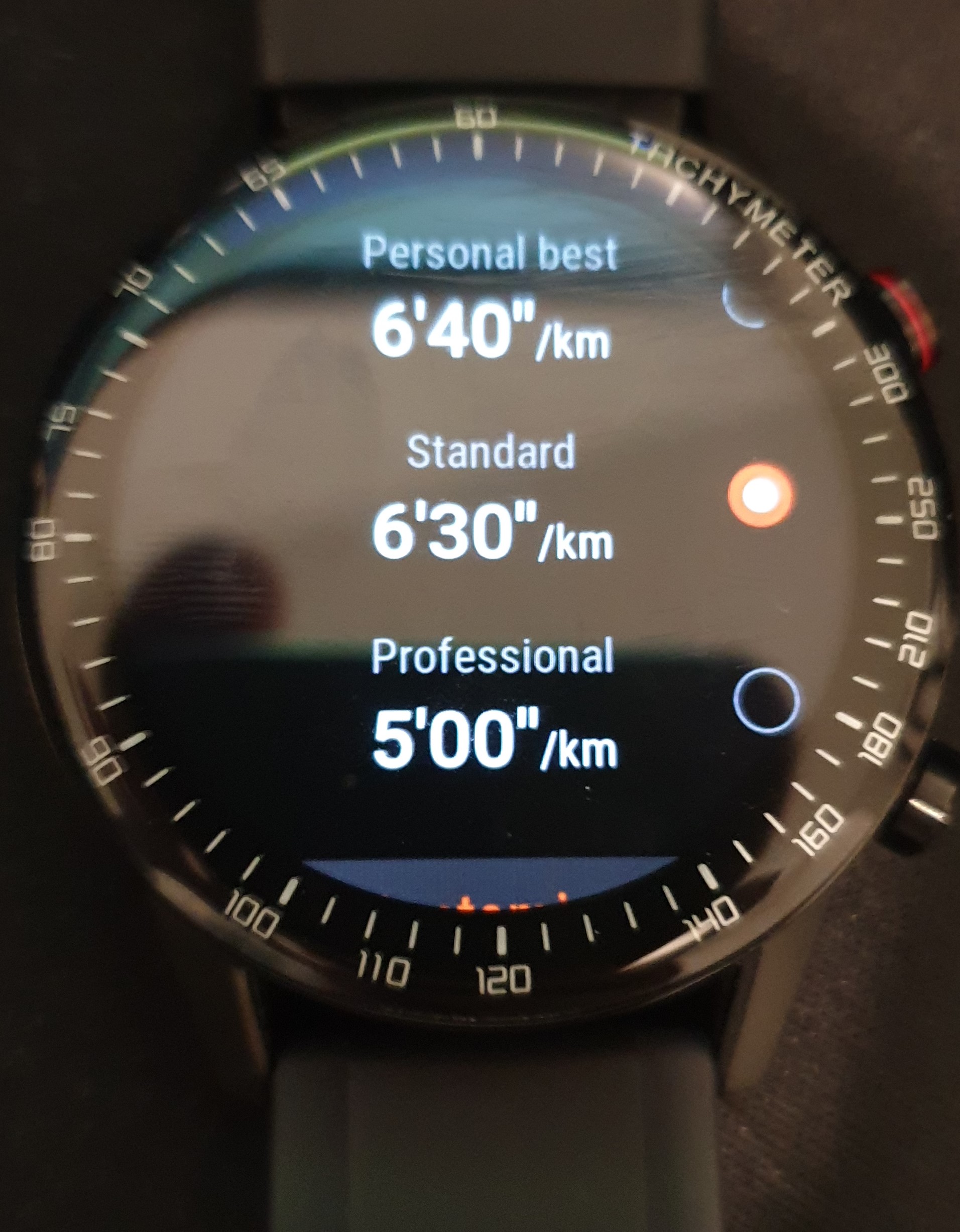
The pace choices available on my watch.
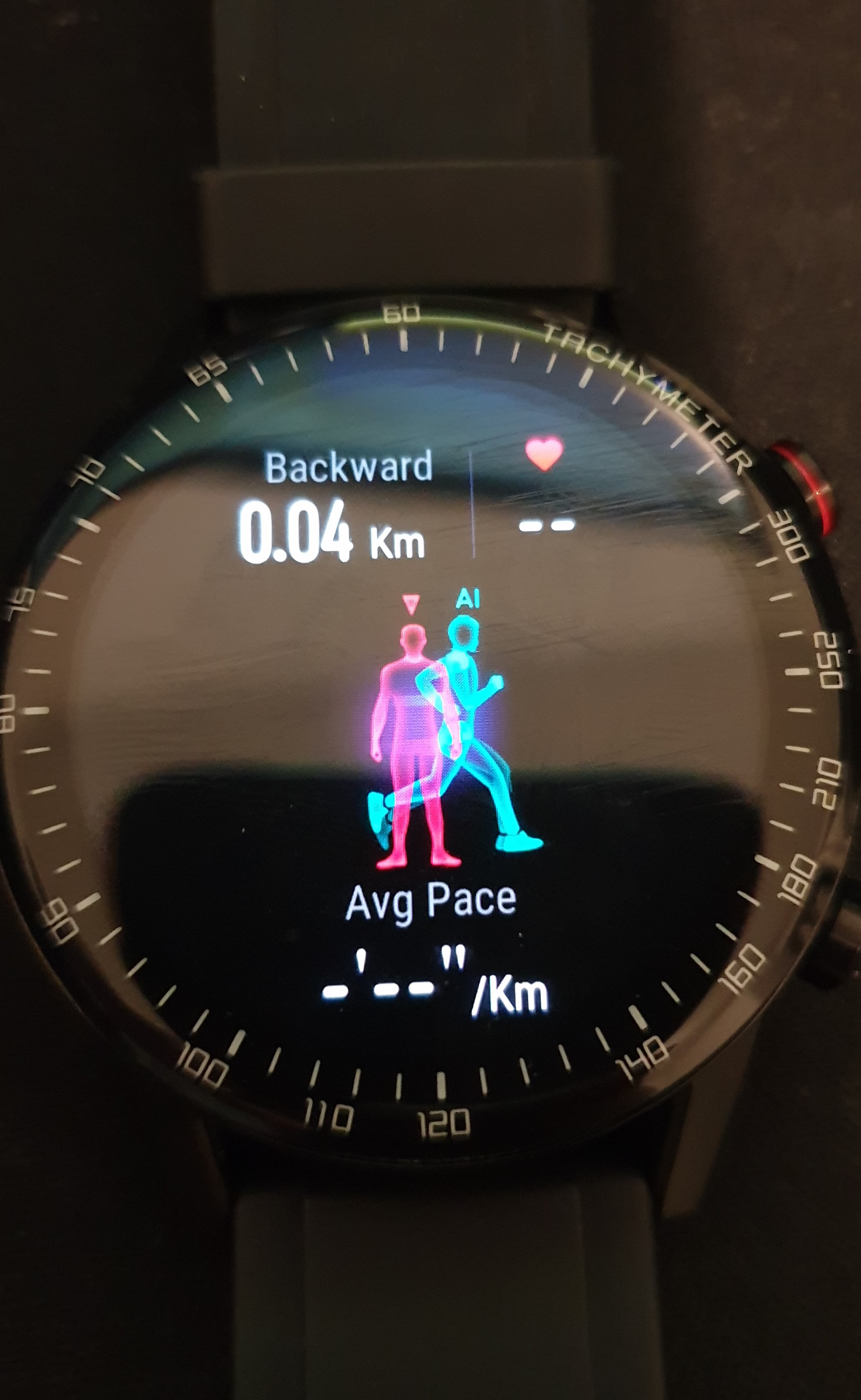
The comparison was useful during a run. I wanted more of it saved in the workout record.
The records in Huawei Health were close to what I already got from the much cheaper Band 3 Pro. The watch added elevation readings, but I did not trust them enough to count that as a useful upgrade.
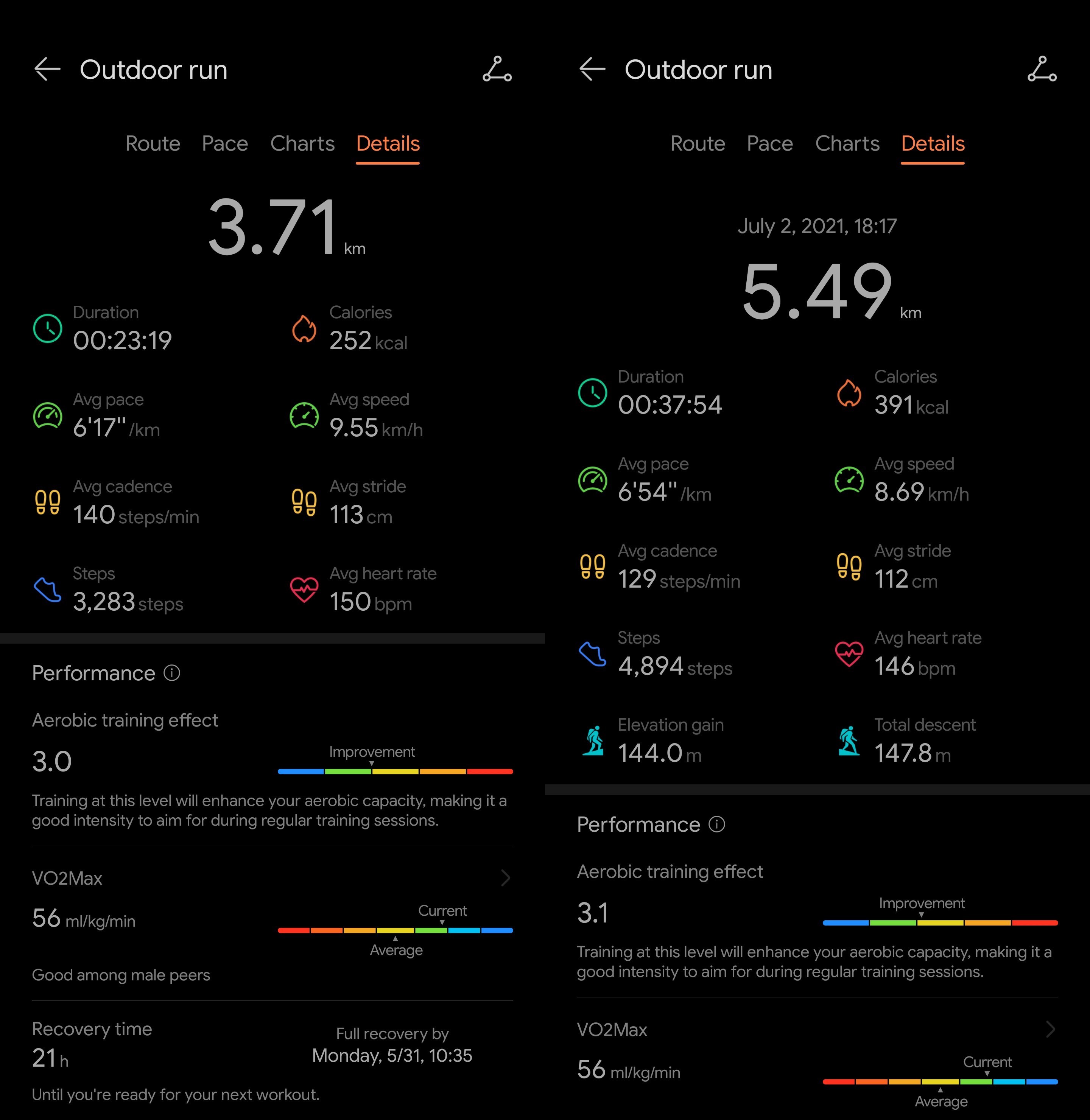
MagicWatch 2 on the left, Band 3 Pro on the right. These are different activities; the comparison shows the fields each record offered, not a simultaneous accuracy test.
Running courses
The 13 guided running courses were one of the better parts of the watch. I tried them all and liked the progression from easier sessions to harder ones. The voice prompts helped me follow the session. My complaints about the readings still applied, but I enjoyed using the courses themselves.
Steps and elevation
Step counting was the most convincing tracking feature for me. It worked better than my old band during normal walking, though it still missed some slow steps. I also liked that longer stretches of walking appeared as activity time.
Elevation was another story. Repeating the same stairs gave me different results. I could also sit still for hours and see apparent elevation changes. I would not have relied on those figures for a hilly ride or walk.
Health readings and sensors
Sleep tracking
Huawei called it TruSleep. I kept thinking of it as FalseSleep. Lying in bed watching something could turn into a recorded nap, and I could not remove the unwanted record. Short awakenings were sometimes missed; other nights showed awake time I did not remember. The recorded wake-up time could be 10 or 20 minutes out.
I had seen similar problems with the Band 3 Pro and hoped the watch would improve on them. In my use, it did not.
Altitude, pressure and compass
The altitude graph could show a substantial change on a day I spent at home. Pressure changes can affect a barometric altitude estimate; the practical problem was that the watch did not give me elevation data I could trust.
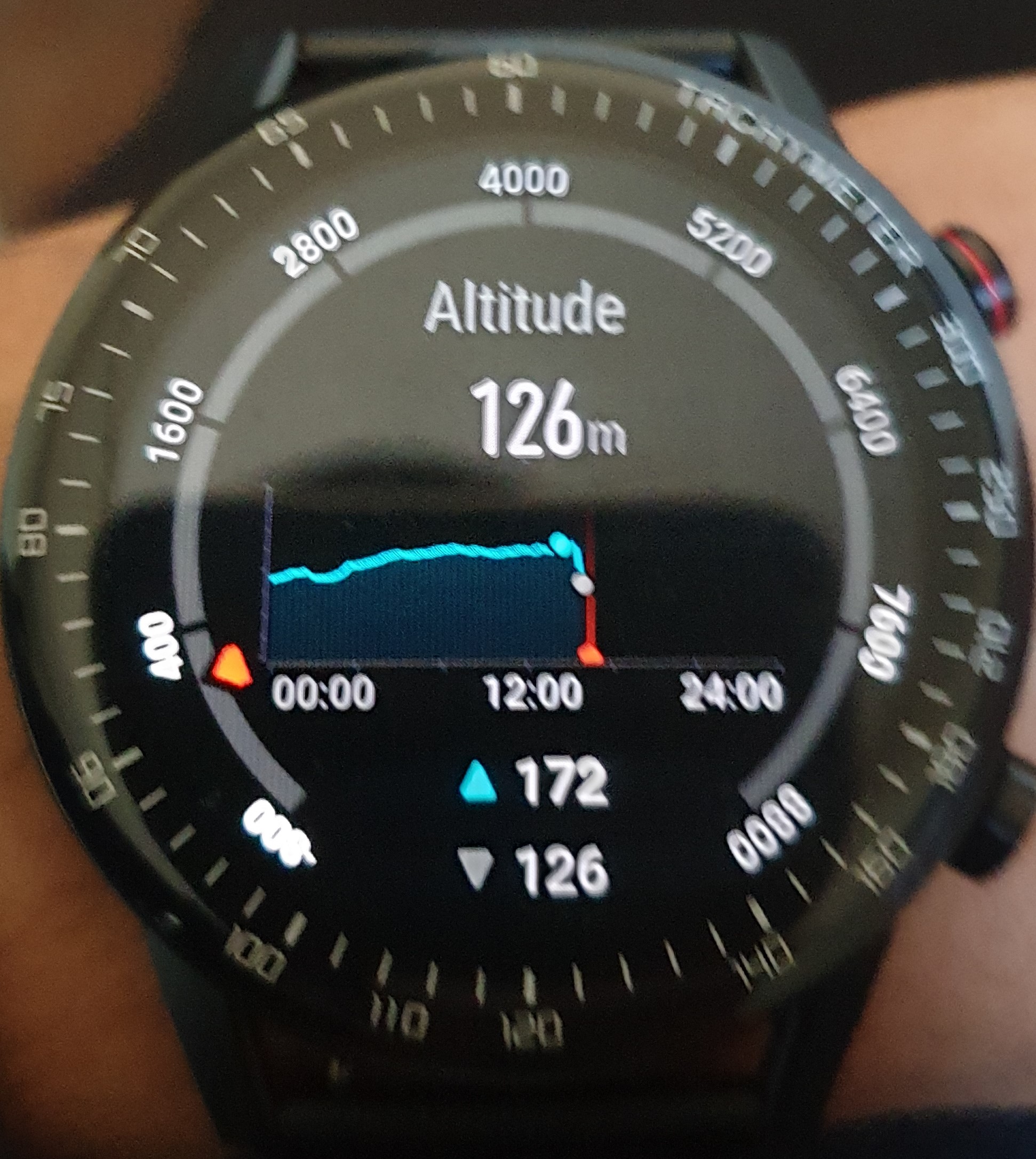
An altitude change on a day I stayed at home.
The compass was better. It agreed with my phone when I compared them. I wished I could open it during a workout instead of leaving it as a separate tool.
Stress tracking
The stress readings did not always match how I felt. Before an exam, for example, the app could describe me as relaxed. I also found the calibration questionnaire odd. I treated the result as a rough reading, not an explanation of my state of mind.
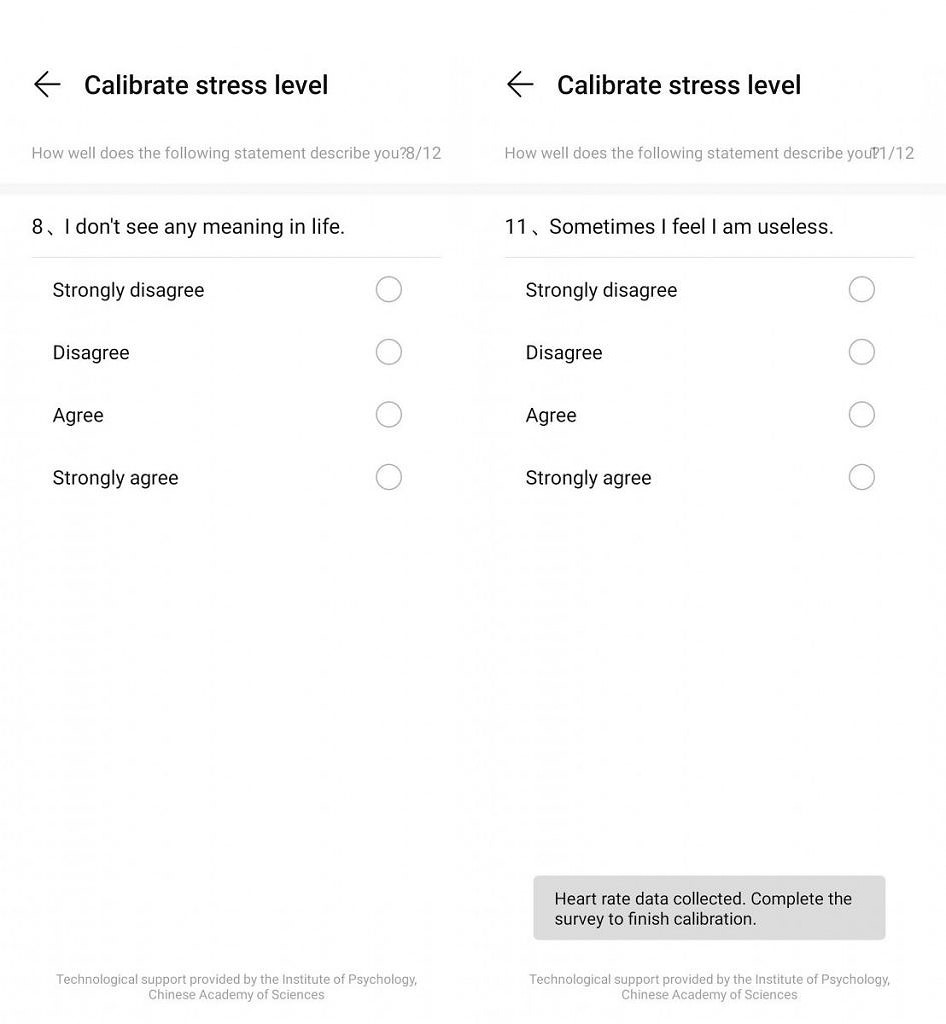
Part of the stress-calibration questionnaire in the app I used.
Heart-rate tracking
About a week after I got the watch, I saw unexpectedly high readings and noticed the green sensor light sometimes switched off. After that, I kept checking whether the graph looked plausible. The screenshots below show what worried me; they do not establish my actual heart rate at the time.
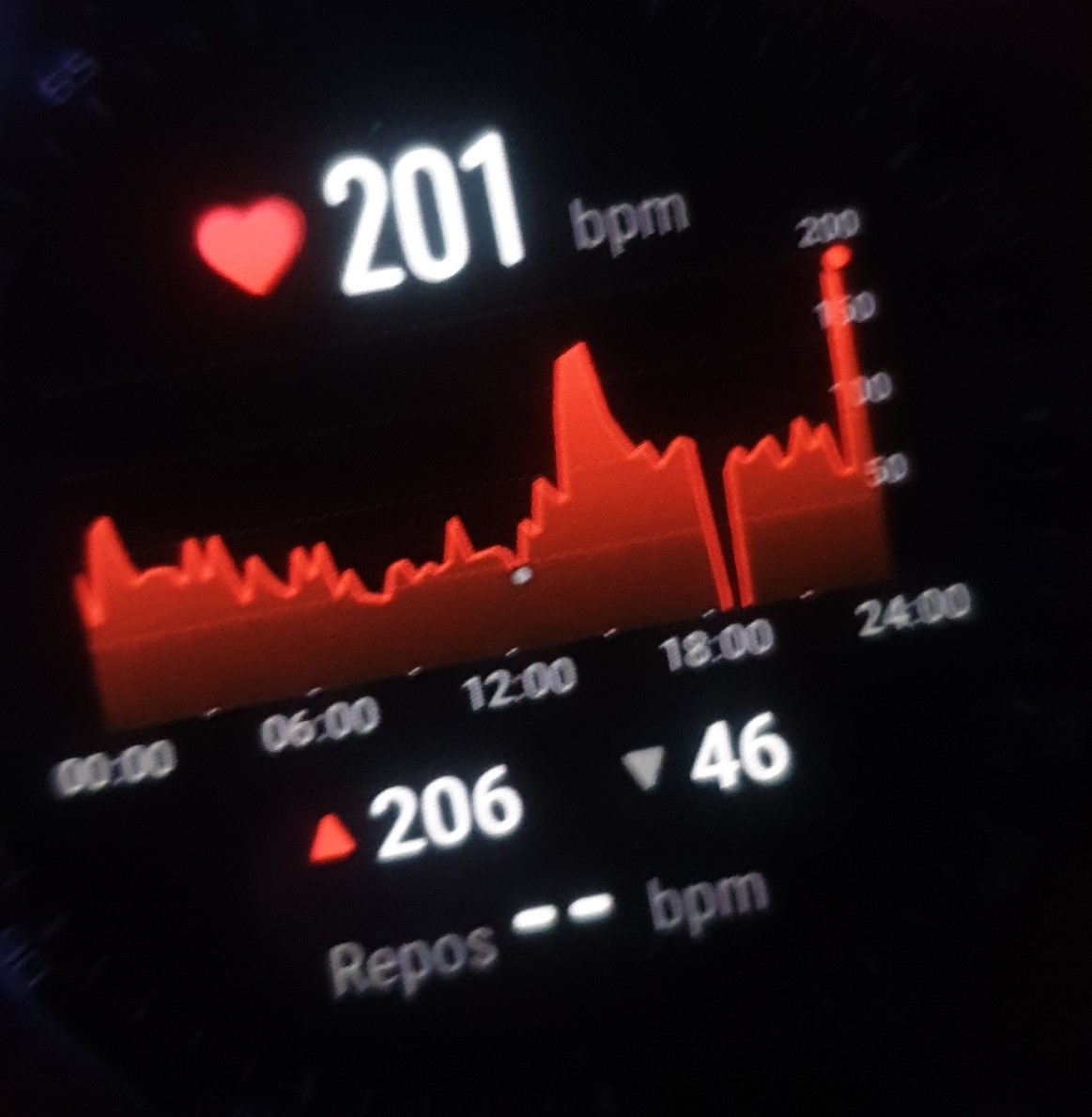
One of the readings I found implausible during the original review.
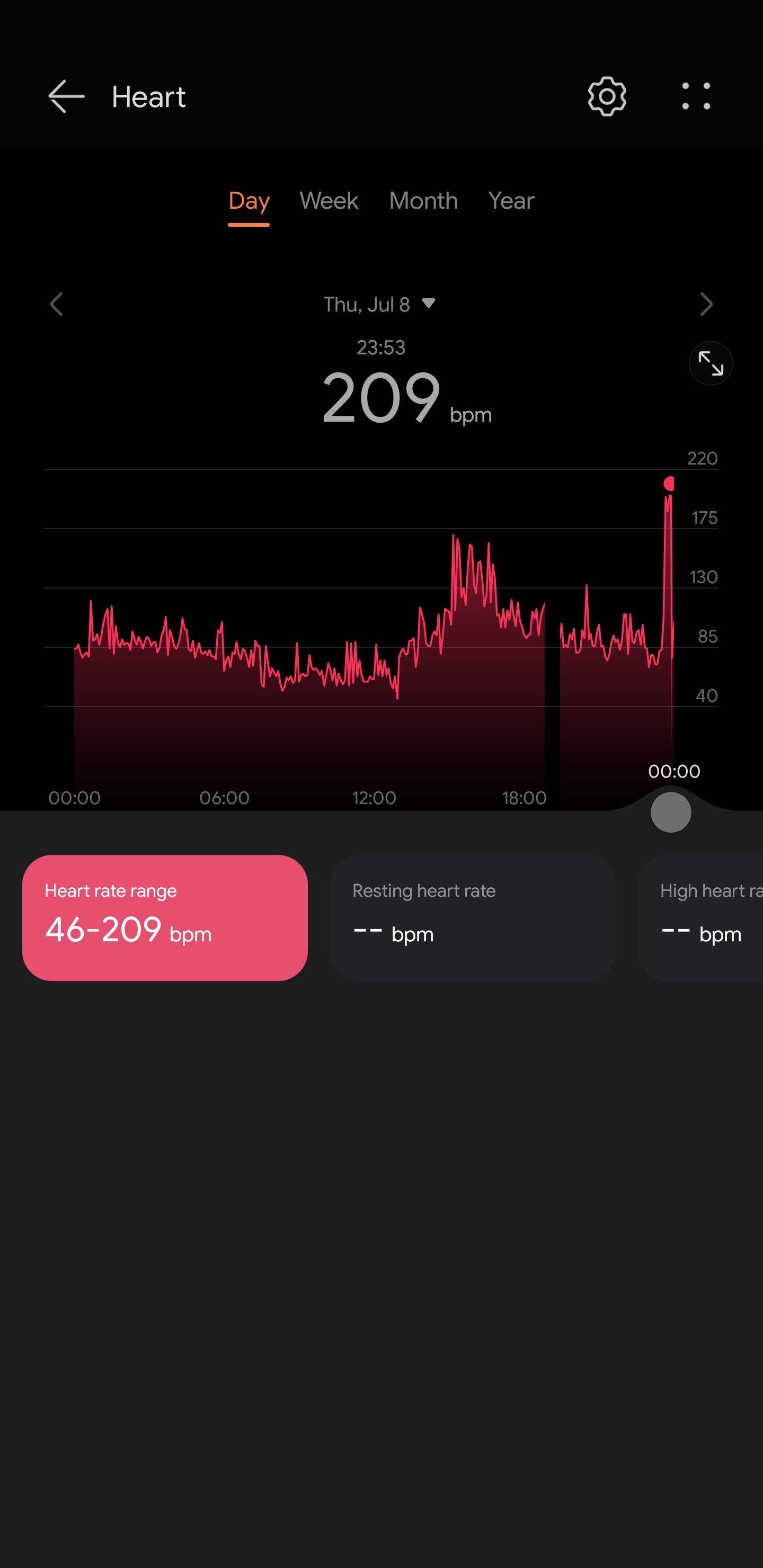
The phone app's recorded range.
Everyday features felt too limited
Notifications, alarms and do not disturb
Notifications were unreliable for me even after I checked that the relevant apps were enabled. Messages were especially inconsistent. When an MMS did arrive, an attached picture could appear only as the word “Image”. I could read a message but could not reply from the watch.
I also disliked the alarm sound and the limit of five alarms. The smart alarm did not feel smart in my use. It sometimes woke me at what felt like a bad point in my sleep.
Do not disturb was missing exceptions I wanted. My older band had allowed a more useful mix of calls, vibration and raise-to-wake behavior.
Calls and music
Bluetooth calling on the 46mm watch was useful, but I could not dial an arbitrary number from the watch. The contact list held only ten chosen contacts, and I had to set them up again after fully unpairing and pairing.
I rarely used the local music player. It had room for songs, but its volume steps bothered me: most were quiet and the jump to the highest setting was too large.
Weather
I wanted more forecast detail, including wind and sunrise or sunset information. The weather could also disagree with what was happening outside. Once it was raining heavily while the watch said it was sunny. Temperatures sometimes differed by about two degrees from my phone and thermometer.
Menus and software
Scrolling through workout records, languages and time-zone settings was not smooth. The basic interface and lack of third-party apps made the watch feel more like a fitness band with a larger screen. Even a simple calculator was missing from the setup I used.
Updates did not bring the changes I wanted during the review period. I was frustrated by features that seemed simple to add and by problems that stayed unfixed. That frustration is about this watch and its software at the time, not a test of every device Huawei or Honor has released since.
Huawei Health
I liked the weekly and monthly reports. The Healthy Living goals were also a useful idea. Other parts felt restrictive: I could not remove an incorrectly detected nap or get all the workout detail I wanted into another app.
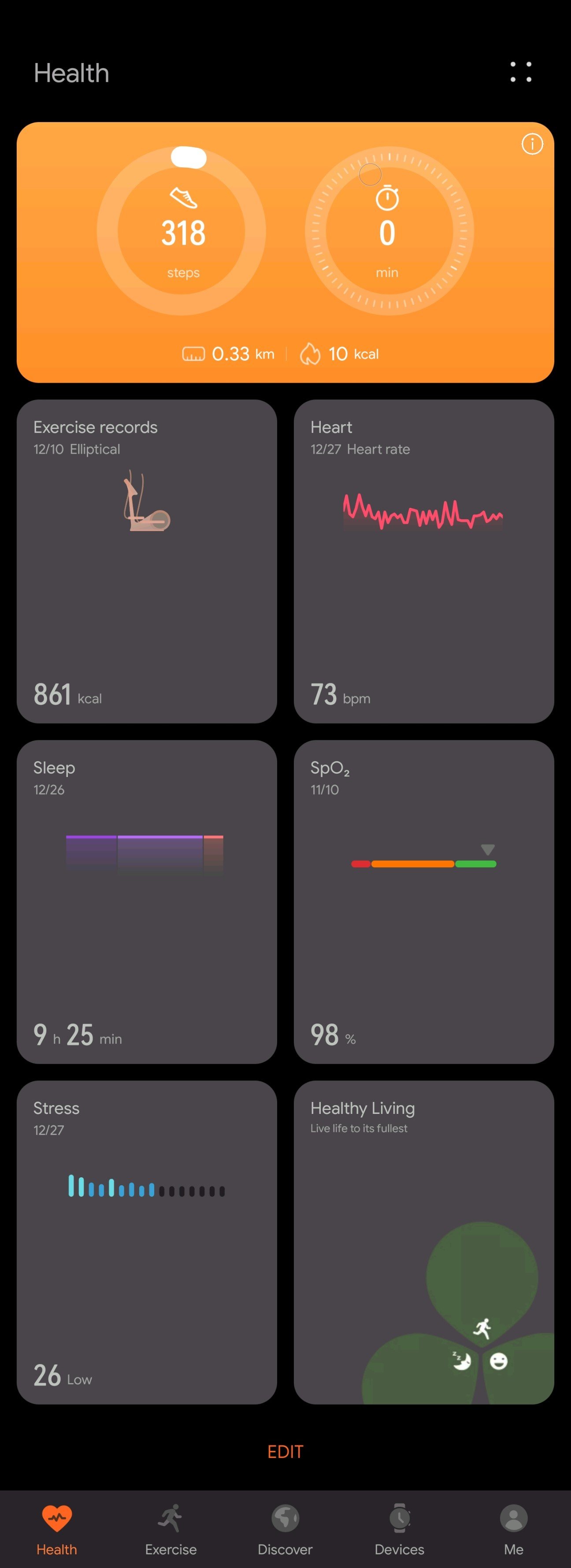
Huawei Health during the original review. Its interface and sharing options have since changed.
For current sharing options, use the separate Huawei Health sync guide. My old complaint that there was no useful native route should not be read as a current compatibility claim.
Battery life and design were the strong points
I got around five days with one or two workouts, sometimes seven days without using the workout features. That was good enough that charging was not one of my complaints.
I liked the case too. Once I accidentally rubbed it against a wall and could not see damage on the metal afterwards. A black steel strap suited it well. For all my frustration with the software, I still liked looking at the watch.
Bugs I encountered
During some workouts, the statistics pages stopped responding to swipes and to the lower button. The daily heart-rate graph could have gaps on the watch even when the missing data was visible in the phone app.
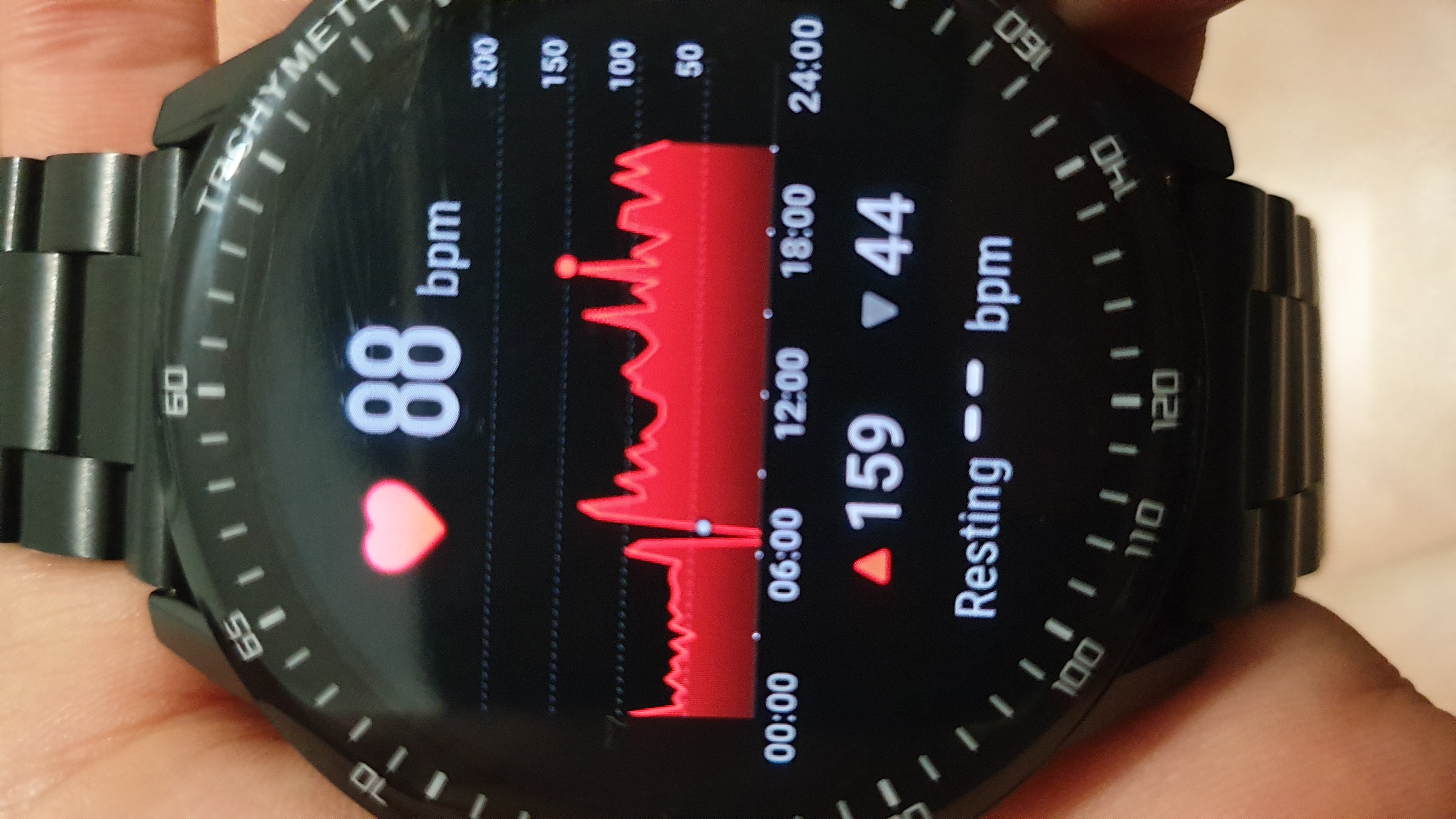
A gap on the watch's graph. I could see the data in Huawei Health.
Workout Status also once displayed text too far to the right. Restarting did not fix it; completing another workout eventually did.
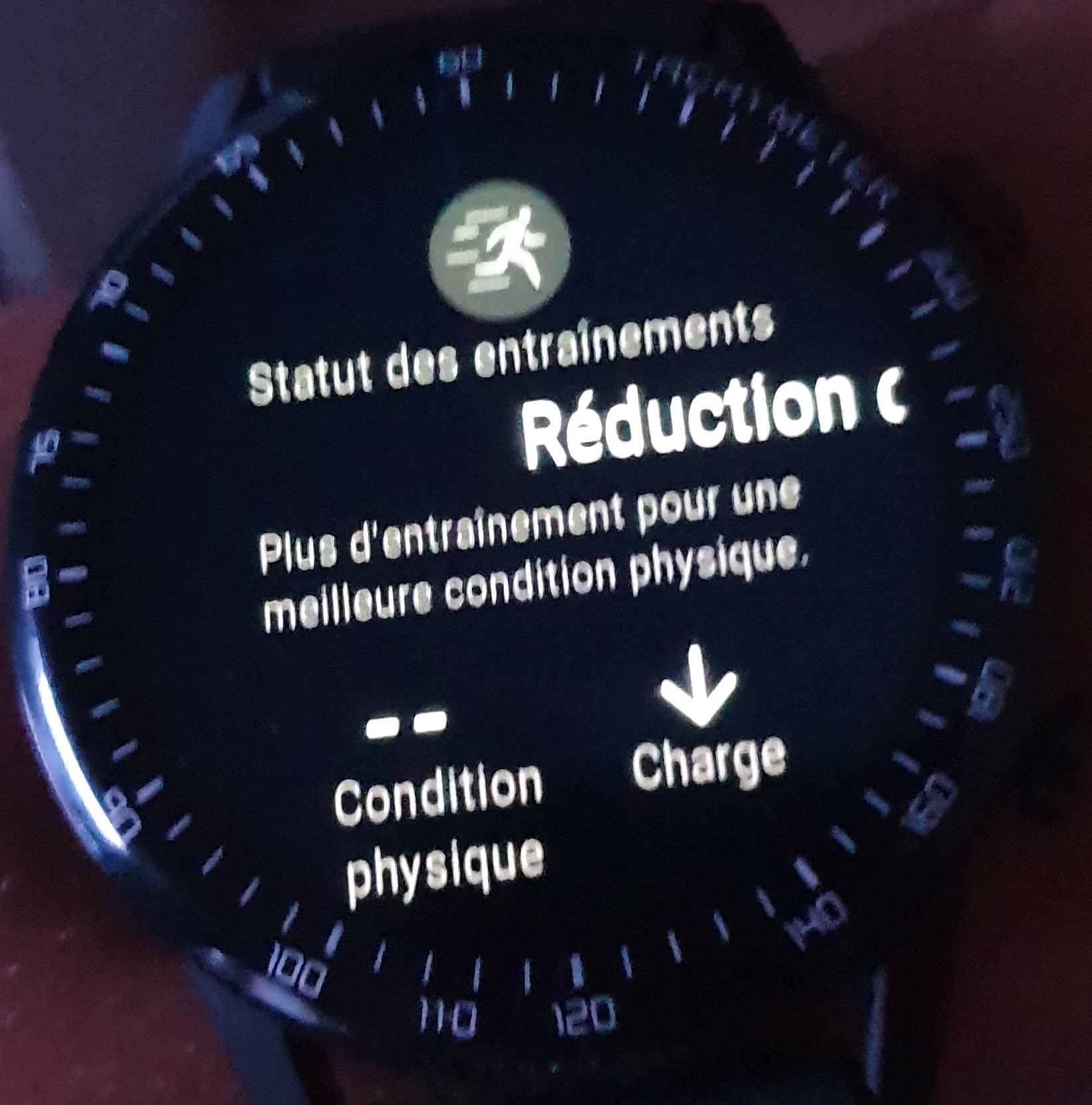
The misplaced Workout Status text.
I also had a brightness setting that reverted after raising the watch, despite trying to change it and reset the watch. These were the kinds of small failures that made the whole experience feel unfinished.
Would I buy it again?
No. I paid about $70 and still regretted it. At the roughly $130 price I was comparing then, I would have been more disappointed.
Good battery life, a case I liked and decent step counting did not outweigh the readings I distrusted, unreliable notifications and limited software. I wanted a better fitness tracker and a more useful smartwatch. For me, the MagicWatch 2 fell short at both.
What I wanted changed
My wish list started with reliable readings and working notifications. After that came message replies, useful apps, a less restricted contact list, adjustable alarm sounds, better do-not-disturb settings and access to the compass during workouts. I also wanted to correct bad health records and move my data between services without a struggle.
My verdict
I liked the hardware more than the experience of using it. I would not have bought the same watch again.


Discussion
0 comments. Share feedback or ask a question.
Sign in to comment.
No comments yet.