An event reminder can reach your wrist while Google Calendar's event list stays empty. Check which app has the event, what the watch-face field shows and whether the alert arrives before changing accounts. These checks apply to Wear OS watches, including Wear OS Galaxy Watch models. Use an upcoming personal event for the comparison; leave work meetings and distant events out of this test.
Find the calendar app you are actually using
Open the calendar from the watch's app list and check its store publisher. The official Google Calendar app is published by Google LLC. The word “Calendar” on a phone alert does not identify the watch app.
The older Wear OS Agenda is view-only. Google Calendar is a separate app. Google's app distinction.
If the event belongs to work, school or another service
Google's native watch Calendar excludes Work Profile, Managed Workspace and non-Google accounts. Phone-event notifications can still be bridged to the watch. Google's support limits.
Ask the calendar provider or workplace administrator whether this account can populate the watch calendar or only send phone alerts, and which watch app supports that route. A personal copy of a work app is not an established calendar-sync solution.
Compare three places before changing anything
Choose an event with a name you will recognise, such as “Calendar test”. Look for it in the watch calendar, then in the face's next-event field. Compare the wrist alert for that same event.
For a new test, make the event later today and add a reminder you can wait for. In Google Calendar on the phone, open the event, tap Edit → Add notification, choose the time, then Done → Save. Wait until the reminder time has passed before judging the alert. Google's per-event notification steps.
Alert arrives; watch calendar is empty
Follow the app and account checks below for agenda access.
Event appears in the app; face field is empty
Check the field's selected calendar provider.
App and face show the event; alert is missing
Investigate notification delivery separately. The agenda is already finding the event.
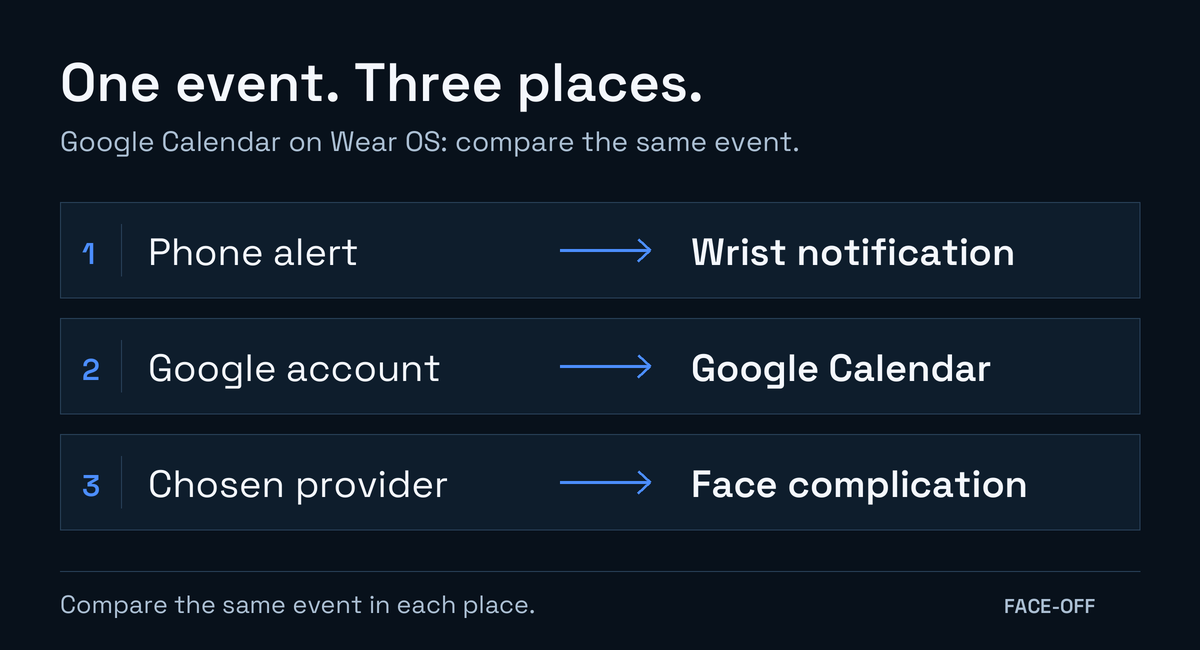
For Google Calendar on Wear OS, compare the same event across these three places.
If the event is missing from the phone as well, check the phone calendar first. Continue the watch comparison once you can find the event there.
For a Wear OS Galaxy Watch with missing phone alerts, follow the Galaxy notification checks.
For a personal Google calendar
In Google Calendar on Android, tap your profile picture to check the account, then open Menu and select the calendar to display. The phone app can also show local and third-party calendars alongside Google accounts, so check where this event was saved. Google's account and visibility instructions.
When saving the test event in Samsung Calendar on a Galaxy phone, select your Google account in the event's My calendars field. An event visible in Samsung Calendar may be stored elsewhere. Samsung's illustrated event-saving steps.
Open Settings on the watch and find the Google accounts section. Google's instructions call it Account and Backup → Google Account; to add an account, they use Accounts → Add Google Account. Confirm that the same personal account is present. The watch can hold more than one Google account. Google's watch-account instructions.
Google's watch Calendar displays calendars for accounts added to the watch when those calendars are also visible in Google Calendar on the phone. It needs internet for new data. The future window is four weeks, and events more than 30 days away are unavailable. The companion calendar-sync switch does not control this app. Google's watch sync guidance.
If the phone still cannot find the event, review calendar visibility and the Calendar setting in that Google account's sync controls. For a calendar you created, Google also gives the route Menu → Settings → calendar → Sync. The primary calendar has no such switch. Google's phone sync checks.
When the calendar works but the face stays empty
Edit the face and see which provider is selected for its next-event slot. Use our complication-selection guide and check the same event again. If the picker offers no compatible calendar provider, record that result before making further account changes.
Send support the watch and phone models, the calendar app's name and the three results above. Use a harmless test event so a screenshot reveals no private meeting details. A report such as “The app shows today's test event, but this face field is empty” identifies the failing part more clearly than “calendar sync is broken”.


Discussion
0 comments. Share feedback or ask a question.
Sign in to comment.
No comments yet.