Install one SimpMusic watch APK on your Wear OS watch. Install the optional Android companion on the paired phone if you want sign-in or phone controls. The watch plays the music; the lightweight companion does not play audio on the phone.
The download page offers three alternative watch builds and one phone companion. You do not install all four. Choose the current APKs and follow setup.
Which file goes where?
| App | Where it goes and what it does |
|---|---|
| Watch APK | Wear OS watch. Plays music and provides browsing, search, queue and downloads. |
| Android companion | Paired Android phone. Optional Google sign-in/session transfer, watch player and queue controls, and offline-queue actions. |
ARM universal is the larger watch file covering both supported ARM ABIs; choose it if unsure. ARMv7 and ARM64 are smaller alternatives. Use the ABI supported by the installed Android OS, rather than choosing only by the processor’s advertised bitness.
There is no iPhone companion in this release. The watch manufacturer’s phone-pairing requirements also apply; installing an Android companion cannot change them.
Try the watch before setting up an account
Open SimpMusic on the watch, choose Search on watch and try a guest search and playback. Browsing and streaming need a connection. This gets you to a first song without installing the companion or signing into Google.
Search for a song on the watch. Once it plays, use Keep queue offline to prepare a small listening session.
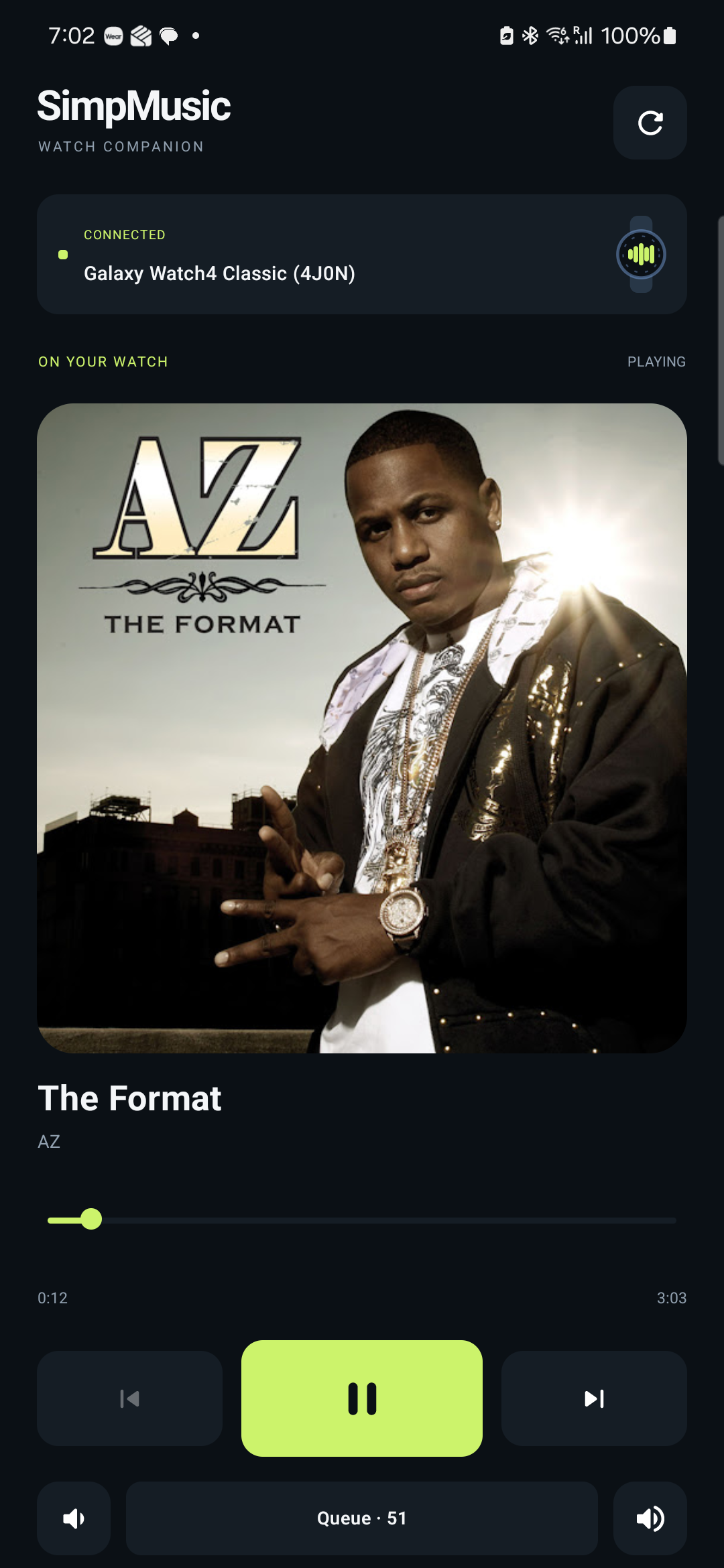
The companion on a Galaxy S23, captured on beta.1. These controls operate the connected watch player.
When the companion helps
Use the phone’s larger screen for the provided Google sign-in flow. On the watch, Accounts → Sync session from phone requests the account session. Keep the paired phone reachable until that transfer finishes.
The companion’s playback and queue controls can be useful without sign-in. Session transfer and remote control are separate from moving audio files: this flow does not copy a phone’s MP3 library to the watch. Use the local-file guide for that task.
In the public beta.2 APK set, the lightweight companion does not offer the phone-side catalogue browsing, search or share-to-watch features under development. The full upstream phone app visible in the source tree is not a fifth release download.
Updating the companion
Beta.2 fixes a companion connection-state timing issue that could repeatedly show CONNECTING and briefly disable controls. Existing beta.1 watch users can keep the watch app and update only the companion for this fix. See the original report and release notes.
If it remains disconnected, check the normal phone/watch pairing and open both apps. The release package is io.github.rahyan.simpmusicwear. Debug .dev and older upstream packages are separate installations, even if their displayed names look similar. Updates and communication also need matching signing identities.
Follow the in-place update path before uninstalling anything. Removing an app can remove its local downloads and session.
Source, releases and privacy
Rahyan maintains the Wear OS app and companion, based on SimpMusic by maxrave-dev and contributors. It is free software under GPL-3.0 and an unofficial YouTube Music client, independent of Google.
Read the privacy policy for session storage, external services and deletion choices. The beta.2 source and release manifest identify the app set described here.

Discussion
0 comments. Share feedback or ask a question.
Sign in to comment.
No comments yet.