Before resetting an old Tizen watch for a new phone, confirm compatibility and work out how you would recover its apps. Pairing with the new phone alone will not restore a missing face. This process covers an existing Galaxy Watch, Active, Active2, Watch3 or compatible Gear watch moving to another Android phone. Start while the old phone and watch still work together, if you can.
1. Match the exact watch and new phone
Write down the watch model number, new phone model and Android version so you can find the instructions for that combination.
Samsung's US table gives Galaxy Watch, Active, Active2 and Watch3 separate entries from Gear. The restriction on Samsung phones released with Android 14 applies to the listed Gear group. Check the exact entry and region in Samsung's compatibility table.
| Your situation | Check before resetting |
|---|---|
| Gear S2, Gear S3 or Gear Sport with a Galaxy S24 | Samsung specifically lists these Gear models as incompatible with the S24. |
| Original Galaxy Watch, Active, Active2 or Watch3 | Check its separate compatibility entry and the exact phone, app and region. Do not apply the Gear exclusion automatically. |
| A used watch already at its setup screen | Confirm phone compatibility and required app availability before buying; the seller's old installed faces may no longer be there. |
Samsung's S24/Gear explanation names the affected models. The Android 14 restriction refers to phones that originally shipped with it; an older phone updated to Android 14 is a different case.
For a move to iPhone, consult the model's iOS compatibility section and required app. The Android process here cannot confirm an iPhone pairing.
2. Review the backup while you still can
On the connected phone, open Galaxy Wearable → Watch settings → Account and backup, then Backup settings or Back up data, where offered. Select the data and wait for the backup to finish; labels vary by model. Samsung lists preloaded-app data/settings, an installed-app list, face settings and system settings. Music on the watch is excluded. Samsung's backup instructions and scope.
Save the original music files separately, along with face names, settings and the backup's date. Record any error and resolve an incomplete backup before deciding whether to wipe the watch.
One SM-R800 owner reported a completed backup restore after a reset, then found that Timer was missing. This report does not establish that all built-in apps disappear. Read the owner's report.
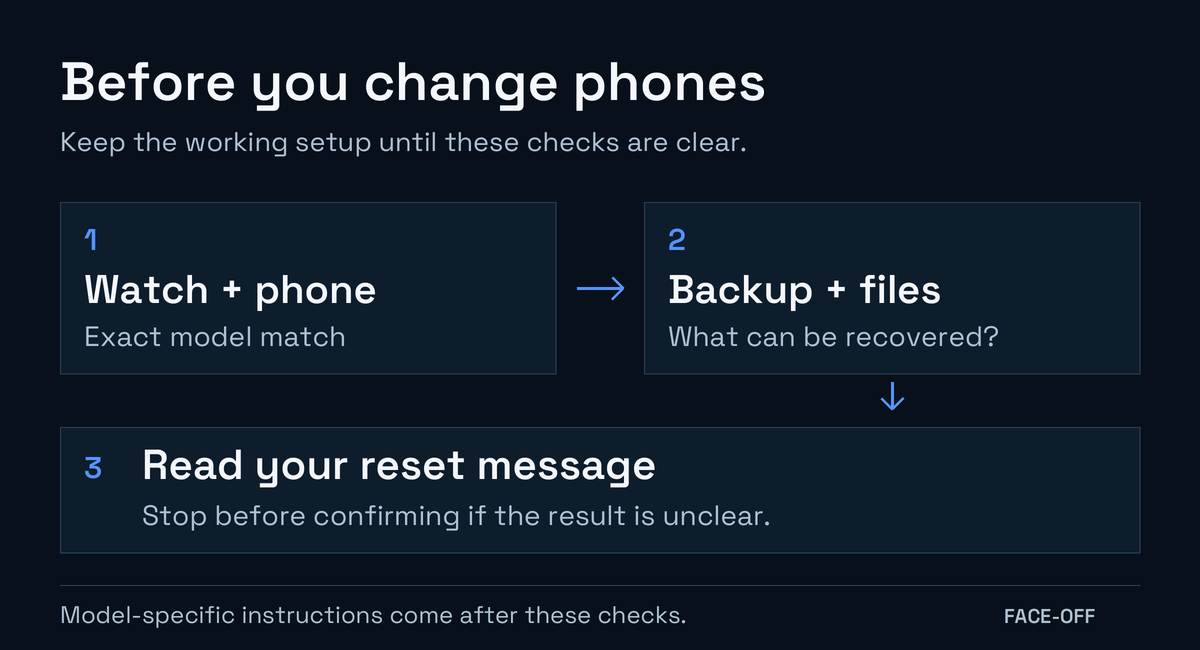
Check compatibility, backup and the reset message before moving a Tizen watch to another Android phone.
3. Read the reset message for your model
Connect to new phone can include a reset. Read the watch's confirmation before treating it as a Bluetooth connection change.
- Samsung's Active2 instructions say the new-phone connection resets the watch and enters pairing mode. Active2's documented process.
- Samsung's Watch3 instructions for Hong Kong describe a light reset with an exception for media files and settings. The wording applies to that model and region; it does not promise that every downloaded app survives. Watch3's documented process.
Read the confirmation on your watch. Newer Wear OS transfer-without-reset tutorials do not establish the process for this Tizen model. If you cannot determine what will remain or how to replace an essential app, keep the working setup while asking Samsung about the exact combination.
4. Decide what you can afford to lose
Samsung's Tizen service notice ended the normal store re-download route. A backup list, receipt or store screenshot is a record, not a replacement app file.
An older Samsung phone exposed purchased faces after a move in one Galaxy Watch3 owner's thread. The owner did not establish successful restoration onto the intended new-phone setup. Treat that as an individual report, not a recovery procedure for another watch or account.
Once you have checked phone support, understood the backup and accepted the remaining app risks, follow the model's connection instructions. Keep the old phone until you have checked pairing, required notifications, apps and the face on the watch itself.
If you have already reset, record what remains before changing anything else. Give Samsung the watch model, phone model and the name of the missing app or purchase. Another reset is not an established way to restore content that the store no longer supplies.
For independently shared faces, browse Face-Off's Tizen files and read each listing's platform, format and signing notes. Those files have their own source/build workflow and cannot restore every app or purchase from the closed store.


Discussion
0 comments. Share feedback or ask a question.
Sign in to comment.
No comments yet.