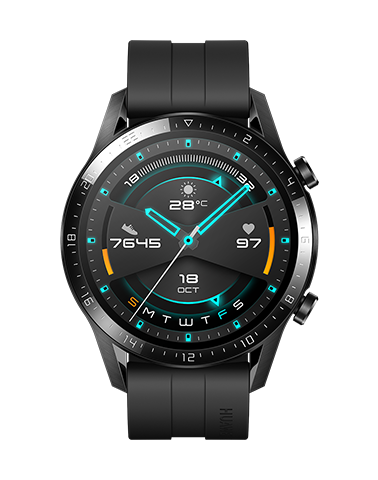
The Huawei Watch GT 2 family has two round models with different screens: 42 mm and 46 mm. Huawei's Canadian specifications list them separately. Confirm the size before downloading a face, especially when a release name says only “GT 2”.
Start with the Face-Off Huawei HWT library. Owners of the larger watch can use the GT 2 46 mm download page, then open a listing for its original file, author credit and release notes. Keep the 42 mm model separate when choosing a file.
Match the screen and case size
The two sizes use these manufacturer display specifications:
| Model | Display | Resolution |
|---|---|---|
| 42 mm | 1.2-inch AMOLED | 390 × 390 pixels |
| 46 mm | 1.39-inch AMOLED | 454 × 454 pixels |
On the watch, open Settings → About and record the model and software version. Huawei also places device details in the paired watch's Huawei Health page; see its device information instructions. Use the full name and case size in a support request.
Phone requirements and everyday differences
For a current Huawei Health installation, Huawei's download instructions list minimum versions of Android 8.0, iOS 13.0 or EMUI 12.0. Check the version offered for your phone before pairing an older watch.
The GT 2 product page still lists iOS 9.0, so its original phone requirement alone is insufficient for a new app installation.
The 46 mm model supports Bluetooth calling. Huawei limits that feature to the larger version in its GT 2 feature notes. The same notes identify restrictions on music features with iOS. A phone pairing successfully does not establish that every feature works with both phone systems.
Change the face on the watch
Touch and hold the home screen, then swipe through the installed faces. The GT 2 also has Settings → Display → Watch face. In Huawei Health, open the watch's device page and choose Watch faces → More. Huawei's face-management instructions explain the Install and Set as default controls.
Choose the correct HWT package
Huawei's distribution rules assign the 42 mm GT 2 to HWHD01 and 3.5.x/3.6.x/3.7.x packages, and the 46 mm model to HWHD02 and 2.5.x/2.6.x/2.7.x. GT 2 Pro has a separate row. Both GT 2 rows mark packaged AOD watch faces unsupported.
Keep a downloaded HWT intact. Follow the Huawei installation guide for an import route your companion app and account actually provide. A missing local-import button needs a different check from a rejected file; the HWT troubleshooting guide separates those cases.
After installation, inspect the time, date and language on your own watch. Compare the data fields with the original release notes and keep its filename for any report. When a listing includes a separate Wear OS edition, use the screenshots and test notes for the Huawei release you downloaded.
 SSPORTAPTTHUgt3
 yaaPluAnalogMav
 SDZSimpleRu
Comments
Discussion
0 comments. Share feedback or ask a question.
Sign in to comment.
No comments yet.