
Browse Pixel Watch 3 faces on Face-Off or make a layout in the Pixel Watch 3 editor. Google's 2024 watch comes in 41 mm and 45 mm sizes.
Choose the right size
Both sizes have a 320 ppi LTPO AMOLED screen with always-on display. The cases are 12.3 mm high. Battery capacity differs:
- 41 mm: 307 mAh typical capacity.
- 45 mm: 420 mAh typical capacity.
Google's specifications list 2 GB RAM, 32 GB nominal storage and 5 ATM/IP68 ratings. Wear OS 5 is the original specification.
Connect your phone
The model-specific compatibility table requires Android 10 or newer for Pixel Watch 3; iPhone is unsupported. The Google Health app has a separate Android 11 minimum.
- Charge the watch and turn on Bluetooth on the phone.
- Open the Google Pixel Watch app with the watch nearby.
- Check that the pairing codes match, confirm pairing and follow the account prompts.
Google's setup guide explains the remaining permissions and account choices.
Change the face or add your photos
Hold the dial, swipe through the faces and tap the one you want. Choose Edit to change the colors or data fields that design provides. In the phone app, use Watch faces → Use on watch or Edit.
For a photo face, open Watch faces → Add new → Photos in the phone app. Select pictures in Google Photos, then tap Add and Save. Google's face guide recommends keeping the Pixel Watch app and Google Photos updated on both devices.
Adjust the screen
Wake the display, swipe down and open Settings → Display for brightness and font controls. Return to your dial to check the result, including the smaller date and weather fields.
Music with SimpMusic
Use Face-Off's SimpMusic setup for Pixel Watch for the watch app, account sync and playback instructions.
 IV-22 HMS
 Workshop Analog
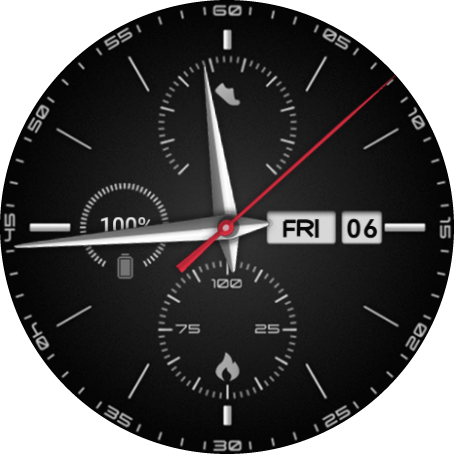 A36 Black
Comments
Discussion
0 comments. Share feedback or ask a question.
Sign in to comment.
No comments yet.