
Find Galaxy Watch 5 faces on Face-Off or make a design in the Galaxy Watch 5 editor. The standard Watch 5 comes in two sizes; Watch 5 Pro is a separate model.
40 mm or 44 mm?
| Size | Screen | Resolution |
|---|---|---|
| 40 mm | 1.2-inch Super AMOLED | 396 × 396 |
| 44 mm | 1.4-inch Super AMOLED | 450 × 450 |
Samsung lists typical battery capacities of 284 mAh and 410 mAh respectively. Use the canvas for your own size when designing a face, especially when checking small dates and data fields.
Phone setup and software
Pair with Galaxy Wearable on a compatible Android phone. Samsung's compatibility table lists Android 8.0 or later with at least 1.5 GB RAM for Watch 5. Its standard pairing route does not support iPhone. Samsung's comparison also requires Google Mobile Services on other Android brands and excludes Huawei phones.
Watch 5 launched with Wear OS 3.5. Watch Face Format version 1 requires Wear OS 4; later versions can require newer software. Check the selected download's requirements before installing it.
To check for updates, open Galaxy Wearable → Watch settings → Watch software update → Download and install. Samsung's update guide also gives the on-watch route, Settings → Software update.
Change a face or its data fields
Hold the current dial, choose Add watch face and select an installed design. On the phone, open Galaxy Wearable → Watch faces. Use Customize to change the colors, styles or complications that design provides. Samsung's face controls guide explains both methods.
Music on your Galaxy Watch
For SimpMusic, follow Face-Off's SimpMusic setup for Galaxy Watch. Keep Galaxy Wearable for the watch's normal pairing and settings.
 IV-22 HMS
 Workshop Analog
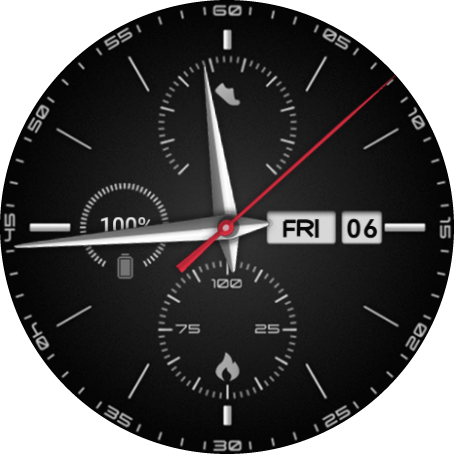 A36 Black
Comments
Discussion
0 comments. Share feedback or ask a question.
Sign in to comment.
No comments yet.