
Browse OnePlus Watch 2 faces or make a layout in Face-Off's OnePlus Watch 2 editor. The watch combines Wear OS with a separate low-power system, so its operating mode matters when using apps.
Screen and case
| Part | Specification |
|---|---|
| Display | 1.43-inch AMOLED; 466 × 466 pixels |
| Case | 47.0 × 46.6 × 12.1 mm; 13.65 mm including the sensor |
| Battery | 500 mAh |
Use OHealth for pairing
OnePlus identifies OHealth as the Watch 2 companion. Get the official app from Google Play and follow its pairing prompts with the watch nearby. OHealth manages the watch and its health records.
OnePlus lists Android 8 or later and Google Mobile Services 23.45.23 or later. Its compatibility note excludes iPhone and Android Go phones. Use those requirements when checking a phone before starting setup.
Smart Mode and Power Saver
Use Smart Mode for Wear OS apps. OnePlus's processor diagram shows the Snapdragon W5 shutting down in Power Saver mode, while the low-power processor handles supported core functions.
The manufacturer's standard battery test uses an official supported face with always-on display off. Its heavy-use scenario changes the face, display setting and workload together. Compare your usage with the corresponding test conditions when assessing battery life.
Change the face and its data
Hold the current face and swipe to another design. Open its editing control if available to change the colors or data fields it supports. Google's Wear OS face guide describes these controls; options depend on the face.
SimpMusic on Watch 2
Follow Face-Off's SimpMusic setup for OnePlus Watch and keep the watch in Smart Mode while using Wear OS music apps. Keep OHealth for normal watch pairing; the optional SimpMusic companion handles SimpMusic's own setup.
 IV-22 HMS
 Workshop Analog
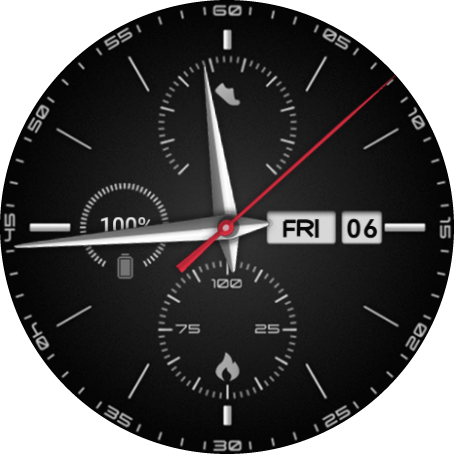 A36 Black
Comments
Discussion
0 comments. Share feedback or ask a question.
Sign in to comment.
No comments yet.