
Install on your watch
SimpMusic Wear OS
The universal ARM package supports ARMv7 and ARM64 Android OS installations. Choose it if you are unsure which your watch uses.
Download watch APK 77.9 MBComplete APK · ARM universal · Free
SimpMusic Wear OS
Free & open source Beta 0.3.0-beta.1
Browse YouTube Music, choose a track and leave the playback to your wrist. With lyrics, a queue and downloads for later.
Made for Wear OS. Optional Android companion for sign-in and watch controls.

On your wrist
Search, discover and manage the next track without reaching for your phone.
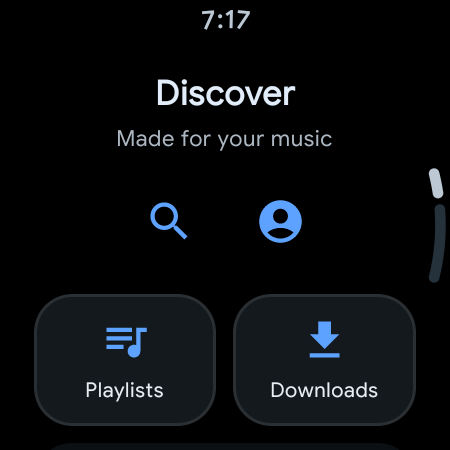
Browse Discover, search for music, and open albums, artists and playlists.
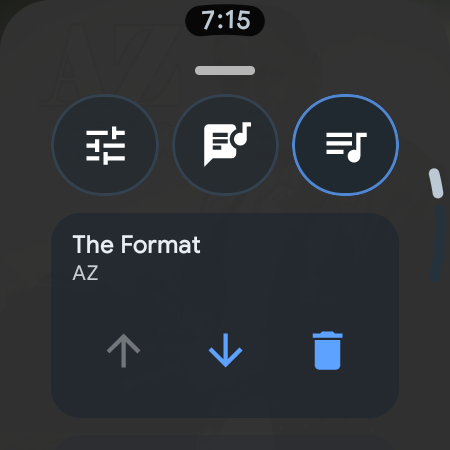
See what is playing next, reorder the queue and keep control of playback.
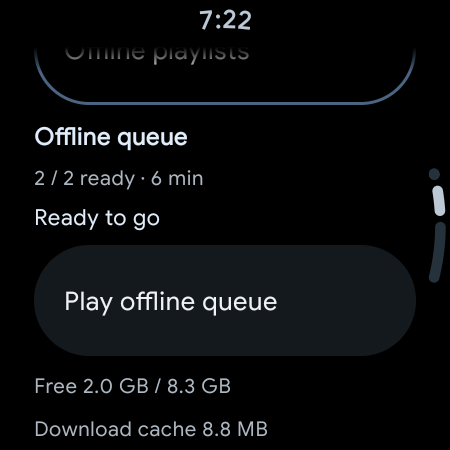
Download individual tracks or prepare an offline queue of up to 100 tracks.
A playback tile and watch-face complication bring you back to the music. Supported watches can use the bezel for volume.
A little help from your phone
The lightweight Android companion gives you a larger screen for sign-in, playback controls and preparing an offline queue. Audio plays on the watch.
You can also browse and play as a guest on the watch. Signing in is optional.
See the setup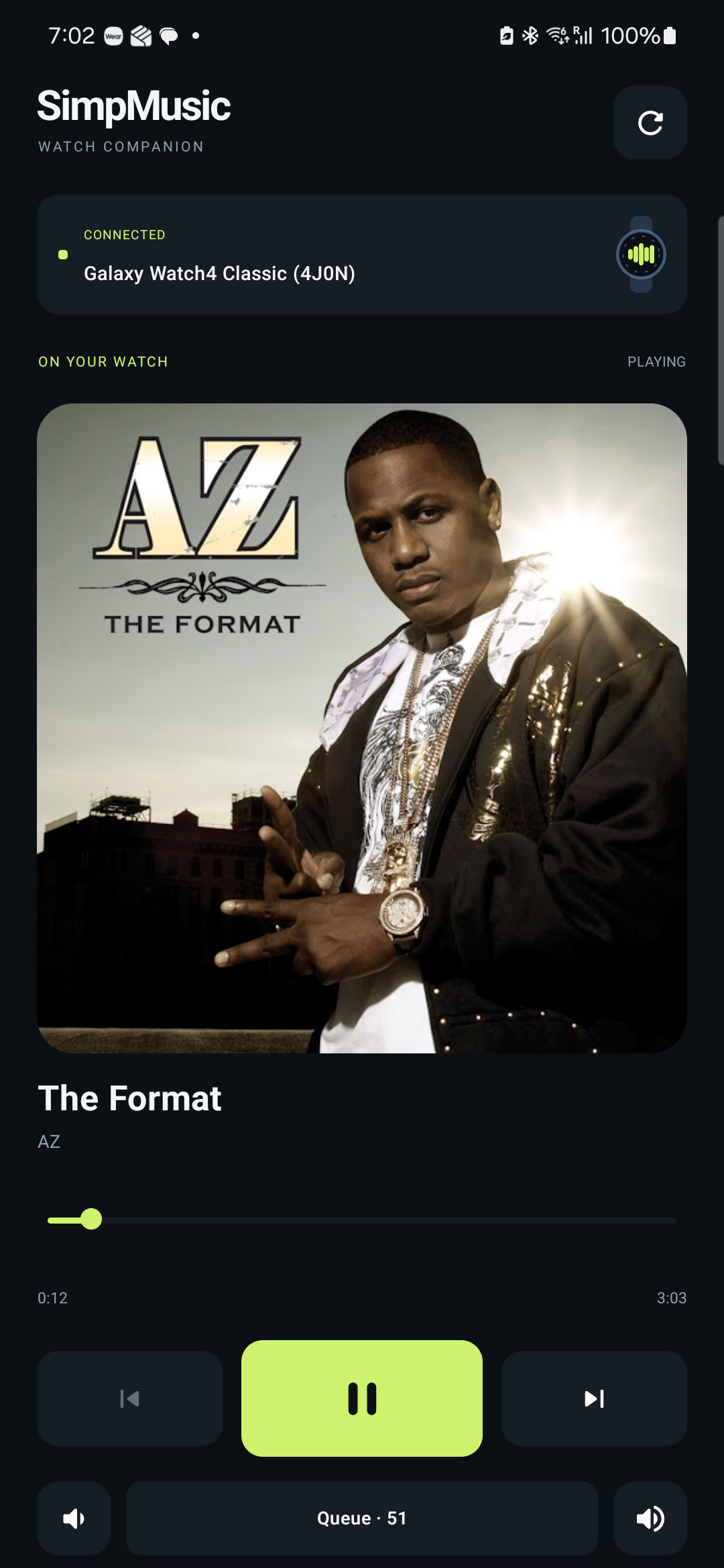
Beta 0.3.0-beta.1
Download one watch APK, then add the companion on your paired Android phone if you want sign-in and phone controls.
Install on your watch
The universal ARM package supports ARMv7 and ARM64 Android OS installations. Choose it if you are unsure which your watch uses.
Download watch APK 77.9 MBComplete APK · ARM universal · Free

Install on your phone
Optional sign-in, session sync, queue management and controls for your watch. Requires a compatible paired Android phone.
Download companion 2.9 MBAndroid 8.0+ manifest minimum · No phone audio
Use your watch's Android ABI, not its CPU specification. A 64-bit CPU may run a 32-bit OS. Install only one watch variant; these are complete APKs.
adb -s <watch-id> shell getprop ro.product.cpu.abilist
SHA-256
0e63f8ce5db97778dedcbf63cb8f92ce101d5c593eadb584df68442319c86dc1SHA-256
4ff69ad25cb63abab7b69c113152894d289ef57d1315b20c89a4fb3740dc7091SHA-256
a1ae833dac062eb01e37630cace5e2d92947f3a1bcda495e758f806d5b6b4fa9SHA-256
7eaa5bf1c5482702ad6c6264cdec42b485c6c4a9e6e76c2ed9aa4a1e67167d97Package on both devices: io.github.rahyan.simpmusicwear. Version code 41. Both apps must use the same release and signing certificate.
Signing certificate SHA-256
8bc14c8245df62f6bd42ad31d0139f0ed15f13e713925fc7d12e63e5c934898a
Downloads are the original signed APKs hosted by Face-Off. No Play Store release or full-phone audio APK is supplied. This beta's release notes · All GitHub releases
Getting started
Sideloading is required for this beta. Enable wireless debugging and pair ADB using the details on your watch. Pairing and connection ports can differ.
Download the watch APK and optional Android companion to your computer, then open a terminal in that folder. ADB installs a downloaded file, not a URL.
adb -s WATCH_ID install -r "SimpMusic-WearOS-0.3.0-beta.1-arm-universal.apk"adb -s PHONE_ID install -r "SimpMusic-Companion-0.3.0-beta.1.apk"Replace WATCH_ID and PHONE_ID with the matching entries from adb devices. The companion goes on your paired Android phone.
For guest playback, open the watch app and browse. To sign in, use the companion, then open Accounts → Sync session from phone on your watch.
Browse or search on the watch. The phone companion follows its player and queue. Streaming and online browsing require internet access.
Before you install
Tested with a Galaxy Watch4 Classic and Galaxy S23. Other watches, ARM64 devices, smaller screens and headphone reconnects still need wider real-device coverage.
Automatic offline playlist refresh and cleanup are experimental; cleanup is off by default. YouTube service changes and restricted content can affect playback or sign-in.
For in-place updates, keep the same package and signing key. If Android reports a signature mismatch, preserve your data before uninstalling: uninstalling deletes local data. Older upstream and .dev packages have separate storage.
Sign-in is optional. Proxy stream fallback is enabled by default and can be disabled in Accounts. Read the app privacy notice for session storage, external services and deletion choices.
Screenshots show version 0.3.0-beta.1 (41) on Galaxy Watch4 Classic and Galaxy S23. The maintainer confirms the release has the same UI; screenshots precede final APK signing.
Tested on Galaxy Watch4 Classic with Galaxy S23 using an earlier candidate of this release. Wider watch, ARM64, smaller-screen and headphone-reconnect coverage remains limited. Automatic offline playlist refresh and cleanup are experimental; cleanup is off by default. Exact published APKs have package and signature verification; their physical runtime is not separately recorded.
Release notes and original files ↗Built in the open
Based on SimpMusic by maxrave-dev and its contributors. Watch app and companion maintained by Rahyan.
Free software under GPL-3.0. The corresponding source is pinned to this release; clone with its submodules.
Unofficial YouTube Music client. Not affiliated with Google or YouTube. Screenshot music and album artwork remain third-party content.